
What Is Order Processing? 5 Steps & 10 Tips to Improve

With the advent of digital transformation, the e-commerce industry increased rapidly. Hence to keep with the increasing demands of the customers, businesses must improve their order process management. This is why more and more companies, in modern times, are opting for automated
inventory and invoice software to track and manage orders effectively to enhance customer satisfaction.

What is order processing?

Order processing, a vital element of order fulfilment, is the workflow that warrants client orders to get planned accurately and transported to the correct place. Depending on the scale of your operations, order processing can take place in a warehouse or distribution centre to sync your order fulfilment.

What is an order processing software?

During the initial days of your business, you can easily manage your order processing manually. However, as your business grows, it can get complicated to carry out the order processing manually. This is where an order processing software steps in. With the help of order processing or
inventory invoice software, you can efficiently reduce manual error and warrant client satisfaction, regardless of your business size.

Order processing explained

Order processing refers to the process or workflow that occurs after a client puts an order. This begins with affirming the products in stock, then picking items and transferring them to a sorting area. Next, the order gets compiled, packed, labelled and shipped to the client’s address.

5 steps in order processing workflow

Here are 5 steps in the order processing workflow.

  • 1. Order placement – When the customer places an order, the operation managers will place an order at the concerned warehouse.
  • 2. Picking inventory – In this step, the specified items from the warehouse gets picked and shipped to the customer location.
  • 3. Sorting – The picked item gets sorted based on the customer location to make the shipping easier.
  • 4. Packing – This is the process of packing ordered goods into shipping boxes.
  • 5. Shipping – This is the last step where the order gets transported to the final destination.

Types of Order Processing Systems

There are two types of order processing systems mentioned below:

  • Traditional order processing systems – This is the manual process where all the order processing steps are hand-operated.
  • Modern order processing systems – Under this type of order processing, businesses use modern technology to fulfil customer orders.

10 tips to improve order processing

Listed hereunder are ten ways to enhance your order processing.

  • Workflow efficiency – By keeping all your order processes in sync, you can boost your workflow efficiency, which will eventually lead to increased profits.
  • Automation – Automation helps you save your business’s time and money by boosting the worker’s productivity and enhancing customer experience. For instance, automation can expedite shipping operations and other general order fulfilment processes.
  • Demand forecasting – By distinguishing your customer’s previous buying trends, you can readily forecast future demands to plan and fulfil your order processing goals effectively.
  • Stock level accuracy – Having a well-maintained stock level through inventory and invoice software can help you boost the efficiency of your order processing and better serve the customers.
  • Warehouse management – By adopting a proper warehouse management system, you can increase productivity and reduce costs by keeping all the warehouse and stock data in a centralised system.
  • Partial order processing – Processing orders partially can help you boost the shipping efficiency and cater to the customers’ needs efficiently.
  • Customer communication – Communicating with customers can help you build credibility as the customers always remain informed of their orders.
  • Inventory control – Just like demand forecasting, inventory planning helps you keep up your stock level to fulfil orders effectively.
  • ERP integration – An ERP system assists you in automating various business processes through a central database that gathers fundamental business data from every department.
  • Mobile picking and barcode scanning – Shippers can use their mobile to scan barcodes on goods picked for an order to help businesses decrease picking mistakes.

Are you looking for
inventory invoice software to automate your order processing? Choose Ankpal today. We are a leading invoice accounting software company rendering end-to-end e-invoicing solutions to our customers. To know more, call us at 63588 58915.
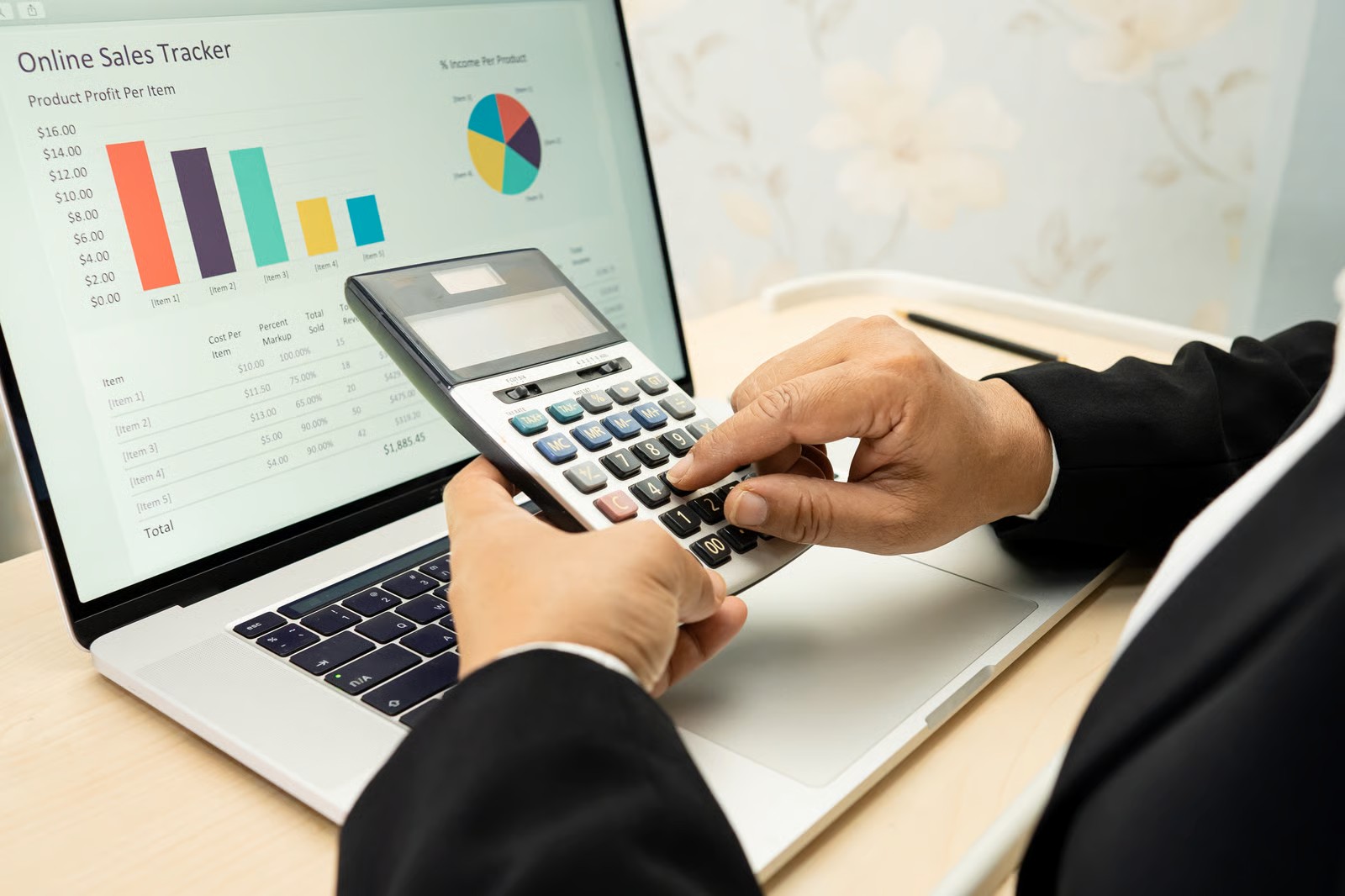

5 Tips On Implementing Accounting Software In Your Business

The digital revolution continues to penetrate into all parts of business operations and accounting isn’t spared from the takeover. And that’s a good thing, given that accounting software provides so many benefits to a company. It helps achieve better efficiency, productivity, data security, and many other adjacent benefits. All these things point to one overall outcome – the ease of doing business.

It’s no wonder why accounting software markets will surpass
$416 million by 2024. There is now a majority adaptation across the accounting practice and it’s likely that companies will follow suit and roll out accounting software. If you’re looking to launch or implement an accounting software in your business, here are a few tips to help you do that well.

Tip #1. Select the right software for your context

When learning how to implement new accounting software, the first step will be to choose and learn how to use the right solution for your organization. There are many choices available today and all of them have their own unique strengths and weaknesses.

The temptation is to jump between one software to another, but it always works to a business’ advantage to have one solution for all your finance and accounting needs. If you do need to use multiple solutions, try to limit the number to avoid confusion and higher learning curves or find a way to integrate them all into one solution. Another thing to consider is your budget so that you can factor it into your business expenses.

Tip #2. Roll out in phases

Slow is fast is how the mantra goes and the same is true for software roll-out. It’s always important to get things done as fast as possible, but they also have to be done right. To ensure that all things go well, it’s best to roll your accounting system out in phases. Start with the department most directly influenced by the system-your accounting and finance department.

Eventually, you can then roll out to other departments. Teach your staff how to use the features that matter to them most. Collection officers will need
billing software, accountants will need bookkeeping services, and all staff will need to learn how to turn in expense reports digitally.

Tip #3. Aim for company-wide use

Up to
94% of accountants have now implemented cloud accounting, so it’s safe to say that experts approve. But the buck shouldn’t stop with the accountants. All business operations have to do with money and finance management. Marketing departments will need to manage money just as customer service, sales, operations, creative, human resources, and all other departments will have to.

What companies need to avoid when rolling out software is having a silo that would rather stick to the “old ways” of doing finance. There are also some things to consider when changing accounting software, such as inertia from people who might have liked the old software better. Get the whole company on the same page by having someone or a group of people champion the rollout, which leads to the next tip.

Tip #4. Create a rollout committee

Think of your accounting software as a product you need to market internally. You’re going to need a “sales” team to vision cast the importance of successfully rolling out a new system. Talk about how the
accounting software can help with business growth and help staff stay efficient. Experiencing challenges with the learning curve is normal and should be expected, but you’ll need a team to motivate staff to keep using the software consistently.

The roll-out committee will also be in charge of the accounting system implementation checklist, and keep track of roll-out progress. For the first few months, it helps to ask them to give weekly or bi-monthly reports on software usage. Thankfully, many if not all accounting software provide analytics automatically so the roll-out team won’t have to create reports from scratch.

Tip #5. Provide support to your staff

Again, the learning curve is one of the most important factors to consider when choosing accounting software. So on top of choosing software that suits your team best, make sure to leave all grounds covered and provide support to your staff. Consider getting an online course that teaches people how to use certain accounting software and all the use-case scenarios.

Also, look into external factors that could affect accounting software use such as whether
e-invoices are GST compliant and help staff create the right parameters to follow such government policies. When in doubt, work with an expert who already has a background in using the app or tool so your roll-out team doesn’t have to figure things out on their own.

Accounting in The Cloud is Now the Norm

For professionals who ask “
what can you do with an accounting degree?,” it’s hard to imagine any application that doesn’t have a technology aspect to it. Digital tools are going to be a part of accounting and finance as a practice. That’s inevitable. So if you’re an accountant, finance officer, or bookkeeper, take the time to master online tools. They’re here to stay.

Why You Need to Implement Fixed Asset Software

Most of the time, business owners believe they do not require having a fixed asset register software because they think they can count assets at their fingertips. However, they forget that when the business grows, business assets keep on adding regularly and hence it gets challenging to track and manage them orally. There was a dire need for business owners to implement a fixed asset register software, and we have a solution. But first, let us learn more about fixed assets.

What are fixed assets?

Fixed assets, also known as capital assets, are a kind of asset that assists the organisation in creating income. It comprises assets such as machinery, vehicles, manufacturing tools and many more. Also, these Fixed assets get purchased for the long term and do not readily get converted into cash.

Challenges in managing fixed assets

To keep your business operations running successfully, you must invest in the best tools and use them effectively. Because, with poor fixed asset management, your employees will get confused, and you will see a decline in their productivity.

This will undoubtedly lead to reduced profits. Hence, it is essential to have a well-organised fixed asset management plan to streamline your business operations. Mentioned below are a few challenges businesses face due to poor fixed-asset management.

  • Massive paperwork: Businesses that employ hand-operated methods to store data find it difficult to keep track of their fixed assets, and they always remain engrossed in a tremendous paper trail.
  • Extended downtime: Poor asset management methods intend not registering fixed assets for routine maintenance. This leads to increased asset downtime and reduced productivity.
  • Discrepant records: Lack of a fixed asset record system builds confusion. Also, employees may enter duplicate data in separate files or even omit some data.
  • Stock inequality: With manual systems, it is tough to track utilization patterns for assets. This can negatively affect demand forecasting and end in inadequate stock levels.

Increase your business’ overall performance with a fixed asset software

Mentioned below are some ways how a fixed asset register software helps you improve your asset management process.

  • Recorded check-ins and checkouts enable stringent vigilance of assets

It is a standard fashion in every business to manually track assets records check-in or checkout. However, if the asset records do not get checked out accurately, there are higher odds of assets getting stolen or lost.

With the help of online fixed asset software, you can effortlessly manage asset check-in and checkout details to manage your assets safely.

  • Barcodes enable businesses to track asset location

Retail businesses administer thousands of fixed assets, and hence it is essential to track the location of these assets. This is why companies use barcode labels to streamline this process. Fixed asset software enables you to generate barcode labels for your fixed assets and keep a close track of your barcodes.

  • Lifecycle management assists in keeping tabs on depreciation

Fixed assets depreciate with time, and with the help of
fixed asset management software, you can keep a tab on the asset depreciation.

  • Recurring services help decrease machine downtime

Fixed assets register the software to enable you to schedule future maintenance of your assets to decrease their downtime and keep it running without any glitches.

  • Availability overview of assets limits colliding reservations

Precious capital goods are usually limited, and due to the unavailability of the fixed assets, you may get forced to cancel or suspend business transactions. Fixed asset software allows you access to a calendar and reveals the prevailing status of all your items to avoid last-minute hassles.

  • Regular audits ensure compliance

Asset audit is a fundamental business operation. A fixed asset management software allows you to perform an asset audit regularly to sustain the credibility of your business at all times.

Choose the most competent fixed asset management software for an all-round view of your assets

Fixed assets make a substantial portion of your business’s capital investments, and hence it must get closely monitored.

If you are looking for comprehensive
fixed assets register software, Ankpal is your one-stop solution. To know more about this software, call us now at 63588 58915.

Process, Rules, and Claims for GST Refunds

GST in India was introduced as a powerful and efficient way to impose taxes on exporters or manufacturers. This not only incorporates an effective way to levy taxes, but it additionally possesses a better flow of receiving GST refunds when a taxpayer gets imposed an excess amount.

The current GST tax composition enables its users to receive their GST refunds quickly by enabling well-organised inspection of the GST imposed on the person or the entity. Also, this processing of up-to-date GST refunds will benefit businesses and expedite trade through the discharge of blocked working capital and readily get managed with the help of GST accounting software.

How to claim GST refund?

You should always remain familiar with who can claim a refund in GST. Mentioned below are the most common rules to claim a GST refund:

  • Tax paid on inward supply of services or goods shipped or on inputs or input aids employed in services or goods exported. However, if the goods are subject to export duty, you cannot claim a refund.
  • Unused ITC of output being zero-rated supplies or exports.
  • Unused input tax credit due to reversed tax structure as the tax rate on inputs is more than the tax levied on manufacturing supplies.

GST refund process

The GST refund process must get carried out within two years from the relevant date discussed above. Also, this ‘relevant date’ in the GST refund process differs in different scenarios mentioned below.

  • Goods shipped by sea or air – Date on which the vessel or aeroplane in which the goods get placed leaves India
  • Goods transported by land – Date on which the goods cross the country.
  • Goods consigned by post – Dispatch day of goods by the concerned post office.
  • Services transported, where the service supply is complete before the payment release – Day when the payment arrives.
  • Services exported, where the payment was received in advance, before the date of issuance of invoice – Date of invoice issue.

Applications for GST refund claims

Once you are eligible to file a claim for a GST refund, you can make a refund claim application by filing a GST Refund Form
RFD-01. You can claim the GST refund within two years of the relevant date after filing the refund application. However, if you fail to file a refund claim with the stipulated timeline, your credits can get blocked forever, and you might never receive the GST refunds.

In addition, if there are any inconsistencies in the refund claim process, a
GST-RFD-03 form will get auto-generated and transmitted to the taxpayer for revisions in the application form, post which the refund amount will get transferred to your account.

Order for GST refund claims

If the GST refund is on behalf of the export of services or goods, the appointed officer will reimburse 90% of the cumulative amount claimed as a
refund in Form GST RFD-4. After due verification of the records supplied, the officer will pass an order for the ultimate settlement of the refund claim. Also, if the commissioning officer gets convinced that the complete or part of the refund amount claimed in the application is refundable, he will pass an order for the payment refund in Form GST RFD-5.

Exceptional scenarios of GST refund claims

Listed hereunder are a few exceptional scenarios of GST refund.

  • Tax on supply of goods considered as deemed exports such as exports in SEZ.
  • Tax is refundable as an outcome of a decree, judgement or on the command of an Appellate Tribunal.
  • Tax incorrectly accumulated and collected with the Central or State Government.

To claim your GST refunds, you must follow a poignant GST refund process as the government will not provide a refund without a careful examination. Hence, always ensure keeping all your GST records well-organised by employing the
best GST billing software that can help you easily furnish all the required records at the time of claiming a GST refund.

What Everyone Ought to Know About GST Reconciliation?

The notion of reconciliation is not unusual to taxpayers as it was widespread before the advent of the GST regime too. However, this concept gained unprecedented popularity after the GST Law in India as it enables businesses to ensure that no sales or purchases entry goes missing or gets wrongly reported when filing the GST returns.

GST reconciliation includes equalling purchases and sales data employing various GST returns and purchase and sales registers using a manual calculation or GST accounting software.

What is meant by GST reconciliation?

In general, a reconciliation implies analysing two data entries to distinguish any discrepancies or variations. However, GST reconciliation is a means that helps taxpayers to understand the disparity between their financial statements and GST returns.

Moreover, with the aid of GST reconciliation, you can amend the variations either by interacting with the supplier or making modifications to your accounting records. Apart from this, you should conduct the GST reconciliation process at every fixed interval to avoid any financial penalties that arise due to mismatch in your financial statements.

Types of GST reconciliation

Mentioned hereunder is a list of the most popular types of GST Reconciliation that you should take into account while filing your GST Return:

  • GSTR2A and Inward supplies Reconciliation
  • GSTR 2A and GSTR 3B Reconciliation (Input Tax Credit)
  • GSTR 1 and GSTR 3B Reconciliation to understand discrepancies in sales data.

Any deviations marked between these GST returns can point to a show-cause intimation from the GST authorities.

Mismatches under GST reconciliation

Listed below are some significant mismatches that you may find during your GST Reconciliation.

  • Discrepancies in bill details

There can be numerous errors in the provided information between you and your vendor. Also, some fundamental invoice data mismatches include the incorrect bill number, bill date or/and invoice price.

  • Discrepancy in GSTIN

Mismatch in GSTIN is the most common discrepancy while carrying out GST Reconciliation. On the off-chance, due to a manual error, the supplier enters the wrong GSTIN. A situation like this will create a problem while claiming ITC. Hence, to overcome this discrepancy, you should employ online GST accounting software.

Why is GST reconciliation important?

GST reconciliation plays a significant role for your business due to various reasons. Firstly, GST reconciliation is essential in claiming 100% correct Input Tax Credit as it helps eliminate all the discrepancies between the GSTR 2A and purchase register. Also, GST reconciliation is beneficial in raising invoice issues with the supplier to fill errorless GST return.

How to do GST reconciliation?

Follow the below-mentioned steps to conduct GST reconciliation effectively:

  • Start by reconciling within the GSTIN accurately.
  • Next, reconcile the data provided to the PAN India level.
  • Afterwards, perform the supplier-wise GST Reconciliation to get any unclaimed ITC.

What are the common challenges faced during GST reconciliation?

One of the significant challenges faced during GST reconciliation is that the people involved hold different methods for their bill numbers. This can make it more difficult for the implementation system to obtain an accurate match of the invoice number. Major issues faced during GST reconciliation are:

  • The bill numbers employed by the buyer to register transactions do not match with the seller’s invoices collected in GSTR-2A.
  • The buyer carries out business in various states, and the seller has raised the invoice utilising another GSTIN instead of the original buyer GSTIN.
  • Both the purchaser and supplier hold registered invoices in separate GST return periods.

To sum up, we can say that GST Reconciliation plays a vital part in keeping your business on track. While it is easy for you to reconcile limited data, it can become challenging to match thousands of entries without proper GST accounting software in place. Hence to make your GST reconciliation seamless, opt for cloud-based accounting software from Ankpal today.