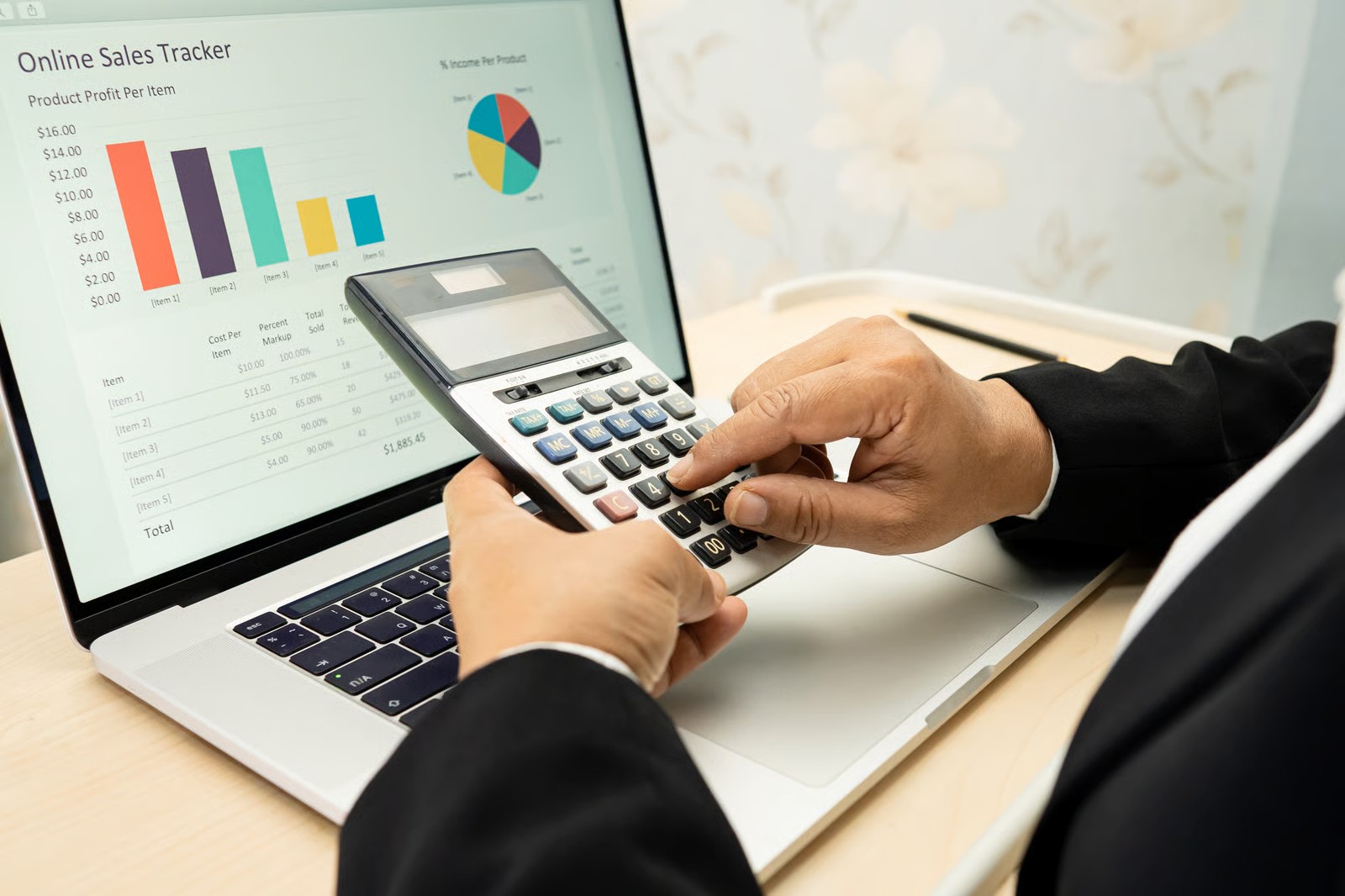
10 Key Benefits And Advantages Of Accounting Software

As a business owner, you may find it challenging to manage your finances with ease. But, thanks to technology, tools are now available to make accounting and bookkeeping more effortless than ever before. One such tool is online accounting software in India, which has become increasingly popular among businesses of all sizes.

In this blog, we will explore the top 10 key benefits and advantages of accounting software that can help you streamline your business operations.

Benefits and Advantages of Accounting Software

1. Access Your Accounting Data Anytime and Everywhere

The main advantage of using accounting software is having access to your financial information at any time, from any location. Online accounting software, allows you to access your financial information from any device with an internet connection. This is particularly useful for business owners who travel frequently or have remote teams.

2. Simple Convention

Accounting software simplifies bookkeeping, so business owners who do not have a background in finance do not have to worry about keeping their finances in order. Most accounting software comes with pre-built templates for invoicing, financial reporting, and other financial activities. They ensure that your financial data is accurate and up-to-date.

3. Spend Time on Automation

Automate your repetitive tasks such as data entry and reconciliation with accounting software, and spend more time focusing on other important aspects of your business. This can lead to improved productivity and efficiency, ultimately saving you time and money.

4. Improved Accounting Security

With accounting software, your financial data is stored securely on a cloud-based server. This means that your data is protected from loss due to computer crashes, theft, or natural disasters. Most accounting software comes with built-in security features, such as two-factor authentication, ensuring that your data remains safe.

5. Improved Accuracy of Accounting and Bookkeeping

Accounting software is designed to minimize human error, which is one of the biggest risks associated with manual bookkeeping. By automating the process of data entry and reconciliation, accounting software can significantly improve the accuracy of your financial data.

6. Timeline

It allows you to keep track of important dates, such as payment due dates and tax deadlines, ensuring that you never miss an important deadline. This can help you avoid late fees and penalties, ultimately saving you money in the long run.

7. Reduce Costs and Save Money

By automating repetitive tasks and improving the accuracy of your financial data, accounting software can help you save money in the long run. Additionally, many accounting software solutions offer pricing plans that are affordable for businesses of all sizes.

8. Reduce Paperwork and Improve Support

Eliminate the need for paper-based accounting, and keep track of your finances electronically. This not only saves time and money, but also helps reduce your environmental impact. Thebest accounting software in Indiaoffers excellent customer support to help you with any issues you may encounter.

9. Improved Billing

Accounting software makes it easy to create professional-looking invoices, reducing the time it takes to get paid. Additionally, many accounting software solutions come with built-in payment gateways, allowing your customers to pay their invoices online, which can speed up the payment process.

10. Tax Compliance is Simple

Keep track of your financial data with ease, and ensure that you stay compliant with tax laws and regulations. This can save you time and money by helping you avoid penalties and fines.

Conclusion

For companies of all sizes, accounting software is an indispensable tool. If you are looking for online accounting software in India, make sure to choose a reputable provider that offers excellent benefits, customer support and security features to keep your financial data safe.

Why Does Your Business Need Complete GST Billing Software?

To find the best GST Billing software that best meets their needs, business organizations are comparing several options. This article provides advice on how to select the best GST billing software. One of the biggest business revolutions of our time is the Services and Goods Tax, and many significant sectors have issued Requests for Proposals/Requests for Information (RFP/RFI) in an effort to find software providers who can provide them with better solutions. In addition to assisting you in calculating GST tax, filing tax returns, and generating substantial annual returns, using GST billing software for your small business can help you keep track of business operations including debit notes, export, and import.

What Is GST Billing Software?

The process to create commercial invoices while applying the GST is known as GST billing. Since July 2017, all businesses are required to use the GST billing software in India. Businesses can create GST billing documents by utilizing GST billing software. The facts on how a seller or supplier has provided goods and/or services to a buyer are detailed in the form of receipts in the GST invoices generated using this method. The article lists the names of the purchasers and sellers who participated in a certain transaction to exchange products and/or services. In addition, GST invoices include information about the product’s name, description, terms of supply, the price for each separate item, and date of supply.

Business Needing Complete GST Billing Software

For businesses in India, GST billing software is a crucial instrument for ensuring the legitimacy of their operations. By providing customizable tools and producing more than six distinct types of GST bills, an online GST billing software like Business Bill assists local firms in issuing accurate GST bills and tax invoices. Due to the advantages outlined below, large businesses and other commercial organizations in India are embracing online GST software:

1. Gives a fuller representation of the company’s financials

2. Examines the performance of the business

3. Easy to use – Anywhere, Anytime

4. Small firms can assess their operations on a regular basis to make sure they are on the right route to reach their objectives.

Why Buy GST Software?

The GST was introduced with high hopes and is thought to significantly enhance the current indirect taxes system. In contrast to the previous system, it is now required to upload invoices or statements when filing returns in order to claim input credits. To help the taxpayer at many phases, such as creating tax invoice templates, GST invoices, data import, return filing, invoicing, etc., the best GST billing software is needed.

A corporate organization’s business unit will be vulnerable to errors and malfunctions if a good accounting software program is not used. With GST compliance, the billing software may quickly upload the recorded data to the online government GST portal. Using GST billing software can assist you in precisely recording your data because it is the most important component of any billing procedure.

Key Features Of GST Billing Software

  • A safety measure

Private company data must be protected, and risky transactions like the WannaCry computer virus must be avoided. Secure software solutions are crucial for this. GST software needs to process returns quickly and securely.

  • Easy-to-use interface

A user-friendly interface, such as an Excel-like interface, with a step-by-step explanation of the process and the ability to travel back and forth.

  • Flexibility

To ensure that all registered taxpayers complete their GST returns on time, invoice validation is crucial. GST software should be available from a desktop, tablet, or mobile phone and should work with a range of platforms.

  • Managing large transactions

According to the new GST system, registered taxpayers in one country must submit 25 GST files per fiscal year. This is crucial for companies that serve clients from around the world since any GST billing software should be able to alert them to each return period so that no deadline is missed and big transactions can be controlled.

  • Precision

You can find significant differences in billing accuracy, processing speed, cost savings, etc. with the aid of these online billing solutions. With the help of this sophisticated web program, GST may be calculated for even the most complicated sales transactions.

Conclusion

Accounting reconciliation, GST return filing, and invoicing are all made easier for firms by GST billing software in India. It improves the accuracy, speed, and efficiency of GST tax calculation, return filing, and data storage. By figuring out ways to keep products out of the harsh GST penalties, export enterprises can benefit from increased output and lower taxes.

The Benefits of Cloud Based Accounting Software for Your Business

If your organization continues to use spreadsheets or traditional desktop software for accounting, it may be time to make the switch to cloud based accounting software. The advantages of cloud based software over on-premises solutions are extensive. These benefits include the freedom to operate from any location at any time, the automation of tedious manual operations, increased accuracy and compliance, and the capacity to expedite financial closing procedures.

Consider the following benefits if you still need to look into updating your process to switch to cloud accounting software.

  • Less Administration:

Cloud based accounting software automates many administrative tasks that were previously done manually, such as generating invoices, tracking expenses, and reconciling accounts. This saves businesses valuable time and resources, enabling them to focus on other important tasks.

  • Software is Always Up-To-Date:

The software is updated automatically, ensuring that your business always has access to the latest features and security updates. This eliminates the need for manual updates and ensures that you are always using the most current version of the software.

  • Automation:

One of the most significant benefits of cloud based accounting software is automation. Many tasks that were previously done manually, such as data entry and bank reconciliations, can now be automated, saving your valuable time and reducing the risk of errors.

  • Ease of Compliance:

The makes it easier for you to comply with regulatory requirements. The software can generate reports that help businesses stay compliant with tax laws, accounting standards, and other regulations.

  • Paper-free/Eco-friendly:

Cloud based accounting software eliminates the need for paper-based accounting, reducing the environmental impact of business operations. This also makes it easier for your business to store and manage financial records securely.

  • Scalability:

It can be scaled up or down depending on the needs of your business. This makes it easier for your business to grow and adapt to changing market conditions without having to invest in new software.

  • Accuracy:

Cloud based accounting software reduces the risk of errors in your financial reporting. This is because the software automates many tasks and ensures that data is entered accurately.

  • Accessibility/Availability:

Access the cloud accounting software from anywhere with an internet connection, and easily manage your finances remotely. Also ensures that your business data is available to authorized personnel anytime, anywhere.

  • Real-time Reporting:

Cloud based accounting software provides real-time reporting and data visualization, enabling businesses to track their finances and make informed decisions based on up-to-date data.

  • Integration Possibilities:

The software can be integrated with other business systems, such as payroll and inventory management software. This ensures that all business data is connected and easily accessible.

  • Collaboration:

Cloud based accounting software enables multiple users to collaborate on financial data, making it easier for you to work together and share information.

  • Efficiency:

Reduce the time and resources you require to manage financial data, and enable your efficient and effective business operations.

  • Speed:

Cloud based accounting software enables businesses to process financial data quickly and accurately, reducing the time required for administrative tasks.

  • Security:

Protect your business data with cloud based software that provides robust security measures to ensure that your data is protected against cyber threats.

  • Centralisation:

Centralize your financial data and ease your financial management. Make informed decisions based on accurate data with cloud accounting software.

Conclusion

Cloud based accounting software is an essential tool for businesses of all sizes in today’s digital age. Businesses should carefully evaluate their options and choose the software that best meets their needs and budget. By adopting the best cloud based accounting software in India, businesses can manage their finances more efficiently and accurately, resulting in improved productivity and profitability.

8 Types Of Business Expenses And How To Track And Control Them

While conducting business, organizations often collect costs that can be utilized to make income statements, file tax returns, and build budgets for the business. Business expenses are routine, required charges a company incurs to run, some of which can be deducted from taxes. In addition to outlining the many types of expenses and listing 8 typical expense categories, this article defines business expenses.

What Is A Business Expense?

When an operational cost is incurred while producing revenue is known as a business expense. Tax-deductible expenses can be deducted by businesses on their income tax returns, but the Internal Revenue Service (IRS) sets rigorous guidelines about which costs can be deducted by enterprises. Maximizing profits by increasing revenues while reducing expenses is one of the key objectives of management teams at businesses. Cutting expenses can help businesses generate even more revenue from sales, but doing so too drastically risks hurting the business. For instance, cutting back on advertising cuts costs but also the company’s exposure and outreach capabilities. Accounting software for medium sized businesses and even small and large businesses are used for such activities.

8 Types Of Businesses Expenses

Wages And Salaries

Payroll expenses and perks, such as vacation time, hourly or salaried costs, and those for independent contractors or other contractual workers, must be covered by businesses. Companies can typically write off these expenses from their taxes.

Rental And Machinery Cost

The costs associated with securing a business location, such as mortgage and lease or rent payments, are referred to as location expenses. Depending on the lease terms, both mortgage and lease payments may be tax deductible. These costs may not change for weeks, months, or even years.

Office Utility And Office Supplies

The cost of utilities including heat, water, and electricity is typically deductible. Costs associated with office equipment can include those for computers, printers, desks, chairs, and supplies. Depending on the sector, these expenses could also include materials or specialized machinery.

Business Insurance

Although business insurance is typically fully deductible, it’s crucial to account for all taxes when determining expenses. It can include workers’ compensation insurance, property insurance, liability insurance, group health, vision, dental, and life insurance.

Marketing And Advertising

Social media postings, website design, logo creation, billboards, print ads, radio ads, TV commercials, business cards, flyers, and event sponsorships are all fully deductible marketing expenses. These marketing expenses are vital and using accounting software for large businesses helps to keep note of everything.

Repairs And Maintenance

Companies might also charge for services like office cleaning, gardening, or snow removal, which might be added to a budgeting or accounting category.

COGS (Cost Of Good Sold)

Cost of goods sold on a direct cost incurred in production. It is directly related to revenue and includes material costs, direct labor costs, and direct factory overheads.

Taxes

Generally speaking, every business pays taxes to the municipal, state, or federal governments. You may develop a budget and income sheet by knowing these costs and how frequently they happen.

Track And Control Business Expenses

Businesses can either use the accrual basis or the cash basis to report their expenses. While accrual basis accounting documents costs when they are incurred, cash-basis accounting records costs when they are paid. They use accounting software to keep track of spending and open separate business bank accounts. The cash basis would record the expense when the company pays the invoice, whereas the accrual basis would record the expense when the company receives the service.

Tracking business spending can be a time-consuming chore, but there are various ways to make it simpler and more effective. They include opening a unique business bank account, utilizing business accounting software for small business, maintaining accurate records, and routinely analyzing spending. To create a transparent paper trail, keep track of every business expense with receipts and invoices. Regularly reviewing expenses will help business owners find areas where running costs can be cut, identify tax deductions, and improve the decisions they make about how to expand their operations.

Conclusion

Costs incurred by firms in carrying out their activities are referred to as expenses. Examples include wages, salaries, maintenance, rent, and depreciation. Businesses may deduct specific expenses from taxes to lessen the tax burden after deducting them from revenue to calculate profits.

How To Develop And Improve The Accounting System

There are certain components of the corporate environment that won’t be going away any time soon, including the accounting division, the controller role, and even the CFO. Nonetheless, many CEOs occasionally have disagreements even with the candidates they selected for the job. A list of suggestions has been published to increase the efficiency, productivity, and success-enabling environment in the accounting department. Without a thorough accounting system, companies run the danger of experiencing cash flow problems, internal fraud, tax fines, and even failure. Implementing a strong accounting and bookkeeping system and optimizing it to make it a potent financial engine that will fuel business growth are crucial steps in business transformation.

Ways To Optimize, Develop, And Improve Your Accounting Systems:

1. Time-Saving Features

It will be simpler to reconcile accounts payable and receivable to the balance sheet and financial statements at the end of each month as opposed to all at once after the fiscal year. It would be more chaotic and perplexing to do it every year. This not only controls time but also breaks up loops.

2. Automation To Consider

Solutions using back-office automation technology have been created to address practically all of the difficulties faced by the current accounting and bookkeeping department. To significantly lessen your back office workload and enhance your financial data, technology may optimize, automate, streamline, and integrate as many elements of your company’s accounting and bookkeeping procedures through
inventory management software as feasible

3. Dedicated Business Accounts

To keep track of costs and profits, businesses should keep their credit cards and bank accounts separate from their accounts. This will simplify tax season and safeguard private property in the event of bankruptcy. Pay attention to how much you’ll owe because business checking accounts have greater fees than personal banking.

4. Expense Management

Processes for recording the spending, identifying the purpose, and documenting when it is refunded should be included in a system for controlling employee expenses and paying them back. Two distinct charts of accounts should be prepared to categorize expenses for management reporting and tax filing purposes.

5. Select The Right Accounting Software

The most crucial information in this work is how a core accounting system like QuickBooks may be used in conjunction with clever time and cost tracking, payables, and invoicing software, and
professional tax accounting software to change the back office from a compliance and tax machine to a strategic financial hub. With accounting in the cloud, data can be accessed from any location and made available to departments, executives, and other disconnected databases from a single central hub.

6. Data Management

Use cloud accounting to back up your data, and scan paper documents to create digital copies. There are automated solutions like OCR that can retrieve data for you so you can input it into your accounting system. Though it may sound futuristic, this technology is not.

7. Invoice Management

Automatic invoicing is a good approach to cut down on errors and accounting work time. Billing, collections, and cash applications are all automated by programs like Intuit Payment Solutions.

8. Accounts Payable / Receivable Management

Businesses must manage their accounts payable if they want to preserve their reputation and stay clear of late penalties and interest. Businesses must set up processes, rules, and procedures for assessing consumer credit, educating clients on payment expectations, creating invoices, accurately billing clients, documenting payments received, and monitoring past-due accounts in order to achieve this. When a discount is offered for prompt payment, pay your bills on time or early.

9. Sales Tax Reporting

Sales tax-related businesses must stay on top of shifting rates, exemptions, holidays, and sets of regulations that vary between tax jurisdictions. Businesses must set up a proactive plan and professional tax accounting software system for tracking sales taxes in order to assure compliance. The business will determine which technology is appropriate for this type of automation because errors in sales tax might result in severe penalties.

Conclusion

Efficiency can be greatly improved by implementing these 9 adjustments and process enhancements. By saving time and money and giving you the financial data you need to make strategic decisions, accounting automation may also assist you in designing and establishing smart and effective bookkeeping and accounting procedures that work for your company.

5 Smart Tips to Boost Your Accounting Firm’s Productivity

The success of your accounting firm depends on your level of its productivity. Your company can serve more clients and earn more money if it is more productive. But let’s face it, with so many moving pieces in an accounting firm; it can be challenging to remain on top of everything. That’s why we are here to help! This blog will discuss five clever ways to boost your accounting firm’s productivity.

1. Create and Refine Your Workflow

The first step to boosting productivity in your accounting firm is to create and refine your workflow. Your workflow should be streamlined, efficient, and designed to save time. Consider using software to automate tasks, such as data entry, invoicing, and reporting. For example, the best accounting software in India can help your firm streamline your accounting processes, making them more efficient and less time-consuming.

2. Communicate Efficiency Procedures

Another way to boost productivity in your accounting firm is to communicate efficiency procedures to your team. This includes everything from best practices for time management to how to use your accounting software effectively. By ensuring that everyone is on the same page, you can improve overall efficiency and productivity.

3. Minimize Interruptions

Interruptions can be a significant drain on productivity. To minimize interruptions, establish rules and procedures for communication. For example, set aside specific times for checking and responding to emails, and use a messaging app to communicate with your team. By doing so, it will be easier to keep everyone on the same page and minimize distractions.

4. Use Cloud-Based Technology

Cloud-based technology is another great way to boost productivity in your accounting firm. By using cloud based accounting software for CA firm, you can access your data from anywhere, at any time. This means that you and your team can work from home or while on the go, without being tied to your office. Plus, cloud-based software is generally more secure and cost-effective than traditional desktop software.

5. Continuously Improve Processes

Lastly, it’s essential to improve your processes continuously. This means regularly reviewing your workflows, identifying areas for improvement, and making changes as needed. You can do this by conducting a time audit, gathering feedback from your team, and analyzing your data. By continuously improving your processes, you can stay ahead of the curve and ensure your firm remains productive and efficient.

Bonus Tips

In addition to the five smart ways mentioned above, there are a few bonus tips that can help boost productivity in your accounting firm:

Do a Time Audit, Then Cut or Delegate: Identify the tasks that are taking up too much of your time, and either cut them out or delegate them to someone else on your team.

Get Your Team on a Good Workflow Solution: Make sure that your team is using a workflow solution that works well for everyone, and that everyone is trained on how to use it effectively.

Conduct a Retrospective with Your Team: Regularly review your team’s performance, and identify areas for improvement. This will help to ensure that everyone is working at peak productivity.

Run a Redundancy Review: Identify areas where you are duplicating efforts, and eliminate them. This will save time and improve overall productivity.

Manage Clients Correctly: Set clear expectations with your clients, and communicate regularly with them. This can help you manage your workload effectively.

Conclusion

Boosting productivity in your accounting firm is essential to your success. You can improve overall productivity by creating and refining your workflow, using cloud-based technology, minimizing interruptions, communicating efficiency procedures, and continuously improving processes. Remember to implement the bonus tips mentioned above to ensure your firm operates at peak productivity.

Accounting For Startups – An Entrepreneur’s Guide

As an entrepreneur, you might be focused on developing a great product or service, marketing it, and acquiring customers. However, one aspect of running a business that cannot be ignored is accounting. It is essential for you to to keep track of your finances, make informed business decisions, and comply with legal and tax requirements.

In this blog post, we’ll take a closer look at accounting for startups, and how to streamline your accounting processes using cloud based accounting software in India.

What Is Accounting For Startups?

Accounting for startups involves keeping track of all financial transactions and records related to your business, including income, expenses, assets, liabilities, and equity. It also involves creating financial statements and reports with the help of an accounting software for startups that provide insights into the financial health of your business.

Accounting Essentials You Should Know

The Accounting Equation

The accounting equation is one of the core concepts of accounting. Meaning assets equal liabilities plus equity. This equation serves as the basis for all financial statements and ensures the accuracy of your financial records.

Double Entry Bookkeeping

Double entry bookkeeping is the practice of recording each financial transaction in two accounts. This helps ensure that your financial records are accurate and complete.

Chart of Accounts

A chart of accounts is a list of all the accounts used in your accounting system. It helps you organize your financial records and ensures that you are recording transactions in the correct accounts.

Ethics in Account

Ethics are an essential component of accounting. As a startup entrepreneur, it’s important to ensure that your accounting practices are ethical and transparent. This will help you build trust with your stakeholders and ensure that your business is operating legally and responsibly.

The Four Core Accounting Reports For Startups

Balance Sheet

A balance sheet is a snapshot of the financial situation of your company at a certain period. It shows your assets, liabilities, and equity, and helps you understand your business’s financial health.

Income Statement

An income statement shows your business’s revenue and expenses over a specific period of time. It helps you understand your business’s profitability and can be used to make informed decisions about your business.

Cash Flow Statement

A cash flow statement shows how cash is flowing in and out of your business over a specific period of time. It helps you understand your business’s cash position and can be used to make informed decisions about your business’s financial management.

Statement of Owner’s Equity

A statement of owner’s equity shows how the value of your business has changed over a specific period of time. It helps you understand how your business’s equity is changing and can be used to make informed decisions about your business.

How To Streamline Accounting For Your Startup

An online accounting software in India can help you streamline your accounting processes and improve accuracy and efficiency. Some of the best accounting software in India includes Ankpal, Tally ERP 9, Zoho Books, etc.

Using cloud accounting software, you can automate tasks such as invoicing, billing, and expense tracking, and access your financial data from anywhere, anytime. You can also generate financial reports with a few clicks, making it easier to monitor your business’s financial health and make informed decisions.

Wrapping Up

All in all, accounting is an essential component of starting and running a successful business. As a startup entrepreneur, it’s important to have a basic understanding of accounting essentials, including the accounting equation, double entry bookkeeping, chart of accounts, and ethics in accounting. It’s also important to be familiar with the four core accounting reports for startups: the balance sheet, income statement, cash flow statement, and statement of owner’s equity. With the best accounting software in India you can streamline your accounting processes and focus on growing your business.

Keeping Track of Invoices and Payments: A Beginner’s Guide

As a small business owner, keeping track of invoices and payments is essential for you to maintain financial stability and ensure the longevity of your company. Failure to do so can result in lost revenue, missed payments, and a whole host of other issues. In this blog, we’ll explore how to keep track of invoices and payments, why it’s important, and the benefits of using payable invoice management software.

Monitoring Invoices: What Does It Mean?

Keeping track of invoices involves monitoring the payments owed to your business and payments you owe to other businesses. This includes everything from sales receipts to bills from suppliers. Failing to keep track of invoices can lead to payment errors, missed deadlines, and damaged business relationships. In short, it’s essential for the financial stability of your business.

What Is Invoice Management?

Invoice management refers to the process of creating, sending, and tracking invoices, as well as managing payments and disputes. This can be done manually, but it’s a time-consuming process that is prone to errors. Many businesses use receivables and payables accounting software to automate the process and streamline their invoicing procedures.

How Invoice Management Typically Happens?

In most cases, invoice management starts with the creation of an invoice. This document outlines the products or services provided, the payment amount, and the payment due date. The invoice is then sent to the customer or supplier, who can choose to pay it immediately or at a later date. The business then tracks the payment, ensuring that it is received and processed correctly.

Why Invoice Management Matters?

Invoice management is important for several reasons:

  1. It ensures that your business gets paid on time, essential for maintaining a healthy cash flow.
  2. It helps you to track your expenses and income, making it easier to manage your finances.
  3. It can help you build strong relationships with your customers and suppliers, leading to more business in the future.

3 Reasons to Prioritize Better Invoice Tracking

Now that we’ve established the importance of invoice management, let’s take a look at three reasons why you should prioritize better invoice tracking:

It Saves Your Time

Manual invoice management is a time-consuming process that requires a lot of attention to detail. By automating your invoicing procedures, you can save significant time and reduce the risk of errors.

It Saves Money

Late payments and missed payments can cost your business money in the form of fees and penalties. By tracking your invoices and payments closely, you can avoid these costs and ensure that your finances stay healthy.

It Saves Your Sanity

Keeping track of invoices manually can be stressful, particularly if you’re dealing with a large volume of invoices. By using payable invoice management software, you can take the stress out of the process and focus on other aspects of your business.

Tracking Invoices with Automation

Payable invoice management software is the easiest and most efficient way to track your invoices. This software automates the process of creating, sending, and tracking invoices and managing payments and disputes. It can also provide real-time insights into your financial performance, helping you make informed decisions about your business.

Conclusion

All in all, keeping track of invoices and payments is essential for the financial health of your business. You can save time, money, and sanity by prioritizing better invoice tracking. The best way to achieve this is to use payable invoice management software, which will automate the process and provide valuable insights into your finances. Don’t let poor invoice management damage your business – invest in the right tools and take control of your finances today.

Small Business Success: The Role of Accounting Software in ROI Maximization

As a small or medium-sized business owner, you understand how vital it is to maximize your return on investment (ROI). Every rupee counts, and you need to ensure that every investment you make in your business generates the highest possible returns. Investing in the best SME accounting software is one of the best ways to do this.

Why is it Important to Maximize the ROI of SMEs?

Maximizing ROI is crucial for the growth and sustainability of small and medium-sized enterprises. With high ROI, SMEs can secure funding or investment, making expanding and growing their business easier. Maximizing ROI ensures that SMEs have the resources to compete in the marketplace and remain profitable in the long term.

Moreover, a high ROI allows SMEs to reinvest their profits into the business, such as upgrading equipment, expanding product lines, or hiring more employees. This reinvestment can lead to further growth and increased profitability, creating a positive cycle of success for the SME.

How to calculate ROI on Accounting Software?

Calculating ROI on accounting software involves comparing the cost of the software with the benefits it provides to the business. To calculate ROI, you first need to determine the cost of the software, including any subscription fees and installation costs.

Let’s say you own a small business and are considering investing in accounting software that costs INR 10,000 annually. You estimate that the software will save you about 5 hours of work per week, and you value your time at INR 500 per hour.

Therefore, the total estimated benefit from using the software would be INR 25,000 per year (5 hours/week x 50 weeks/year x INR 500/hour).
To calculate the ROI, you would divide the estimated benefit (INR 25,000) by the cost of the software (INR 10,000).

ROI = (25,000 / 10,000) x 100% = 250%

In this example, the ROI on the accounting software is 250%, meaning that the software has provided a substantial return on investment for the business.

Benefits of Accounting Software to SMEs

– Manage business functions: The best SME accounting software enables SMEs to manage their finances, inventory, payroll, and other business functions from a single platform. This streamlines operations, saves time and minimizes the risk of errors or inaccuracies.

– Ensures flexibility: SME cloud accounting software enables business owners to access their financial data from anywhere, at any time, using any device. This flexibility is vital, especially for SMEs with remote or distributed teams.

– Monitor performance: SMEs need to track their performance and understand how their business is doing. The best SME accounting software can provide real-time insights into financial metrics, such as revenue, expenses, and cash flow, making it easier to make informed decisions.

– Allows multiple users: SME accounting software allows multiple users to access and update financial data simultaneously, eliminating the need for manual data entry or file sharing. This saves time and improves collaboration among team members.

– Keeps accurate business records: Keeping correct financial records is essential for SMEs, especially when it comes to tax compliance and financial reporting. The best SME accounting software can automate these processes, ensuring accuracy and reducing the risk of errors.

Conclusion

Investing in the best SME accounting software is crucial for SMEs to maximize their ROI, streamline their financial management processes, and remain competitive in their industry. The benefits of cloud-based cloud accounting software for SMEs include increased productivity, improved accuracy, and real-time financial insights. If you are an SME business owner looking to grow and succeed, consider investing in the best SME accounting software today.