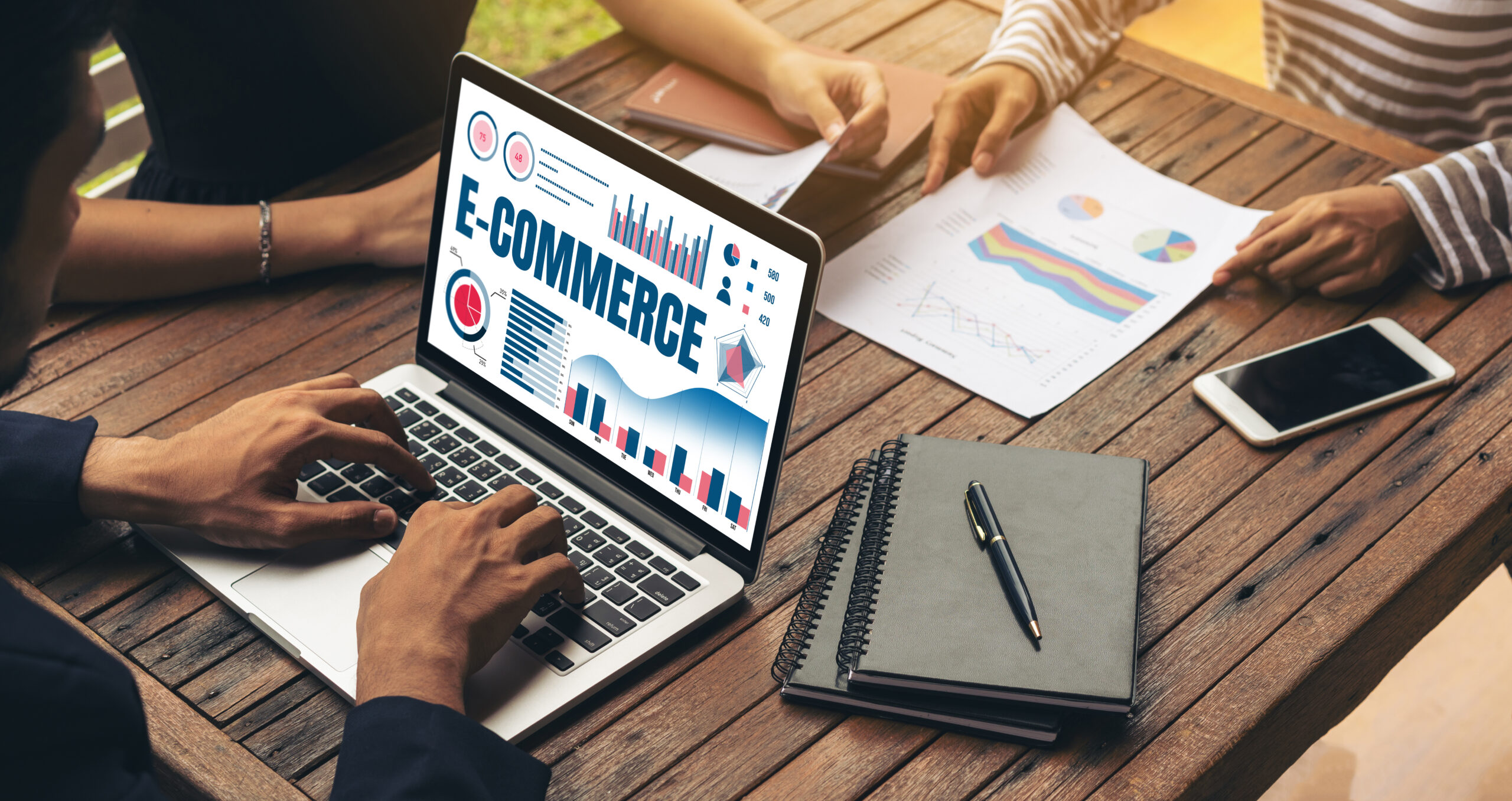
The 5 Best Accounting Software Choices for E-commerce Businesses: Our Top Picks for 2024

Accounting software is essential for small businesses, especially those selling online. It brings significant advantages for e-commerce businesses by helping with inventory management, e-invoicing, etc.

It also makes it easier for online sellers to comply with tax rules, which can be tricky when selling to customers across different regions or countries.

This blog will look at the best accounting software for e-commerce businesses in 2024.

What is E-commerce Accounting Software?

E-commerce accounting software is a tool that helps online businesses manage their money. It helps with tasks like:

  • Bookkeeping: Keeping track of how much money comes in and goes out.
  • Invoicing: Creating bills for customers.
  • Financial Reporting: Showing how well the business is doing financially.
  • Tax Preparation: Helping businesses get ready for tax time.

Having the right accounting software can make managing an e-commerce business much easier.

Best Accounting Software for E-commerce Businesses

1. Xero

Xero is one of the most popular accounting software options for e-commerce businesses. It is easy to use and works well with many online selling platforms. Here are some great features of Xero:

User-Friendly Interface:

The layout is simple, so finding your needs is easy.

Invoicing:

You can create and send invoices quickly.

Bank Reconciliation:

It connects with your bank, so you can easily match your transactions.

Multi-Currency Support:

If you sell to customers in different countries, Xero can help you with different currencies.

2. Ankpal

Ankpal is another excellent option for e-commerce businesses, especially in India. It offers many features tailored to the needs of online sellers. Some key features include:

Easy E-invoicing:

Ankpal makes it simple to create e-invoices that are professional and clear.

GST Compliance:

It helps businesses follow Indian tax rules, making tax time easier.

Inventory Management:

Keep track of your stock levels directly in the software.

Customer Support:

Ankpal offers great support to help users with any questions.

3. Vyapar

Vyapar is another popular accounting software used by Indian businesses. It’s simple and easy to use and is built especially for small businesses.

Offline & Online Options:

Vyapar works even without the internet, which is great for those who need flexibility.

Inventory Management:

It tracks your stock and alerts you when to restock items.

GST Invoicing:

Vyapar helps with tax-compliant invoices, making it easier to manage taxes.

Expense Tracking:

It helps track your spending so you know exactly where your money is going.

4. Zoho Books

Zoho Books is a good choice for e-commerce businesses looking for a cost-effective solution. It offers:

Simple Interface:

Easy to navigate, even for beginners.

Expense Tracking:

You can easily track your business expenses.

Time Tracking:

Zoho Books can help you track your time if you charge for services.

Customer Portal:

Your customers can see their invoices and payment history online.

5. FreshBooks

FreshBooks is known for its excellent customer service and simple design. It’s ideal for e-commerce businesses that want to focus on service. Here are some of its features:

Invoicing Made Easy:

You can create beautiful invoices in minutes.

Time Tracking:

Keep track of your time on different projects.

Expense Management:

Easily categorize and manage your expenses.

Reports and Insights:

Get clear reports on how your business is doing.

How to Choose Accounting Software for Your E-commerce Business

Choosing the right accounting software can be tough. Here are some things to think about:

Features:

Ensure the software has the features you need for your business, like invoicing, expense tracking, and reports.

Ease of Use:

Choose easy-to-use software to avoid wasting time learning complicated tools.

Cost:

Look at the pricing plans to find one that fits your budget.

Customer Support:

Good customer support is important if you need software help.

Integrations:

Check if the software can connect with your e-commerce platform, payment gateways, and other tools you use.

Features of E-commerce Accounting Software

Here are some important features to look for in e-commerce accounting software:

Bookkeeping:

Keep accurate records of all your income and expenses.

Financial Reporting and Projections:

Get detailed reports that show how your business is doing and what to expect in the future.

Invoice Processing:

Create and send invoices quickly and keep track of payments.

Bank Account Reconciliation:

Match your bank transactions with your records to find errors.

Recurring Invoices:

Set up invoices to be sent automatically at regular intervals for customers who pay regularly.

Conclusion

An efficient online accounting software in India is crucial for the success of your e-commerce business. Using the right accounting software, you can better manage your finances, save time, and focus on growing your online business. Managing your money well is key to running a successful e-commerce business!

Integrating E-Invoicing with Accounting Systems for Seamless Operations

Today, businesses are moving towards using technology to make their work easier and faster. One such tool is e-invoicing, which replaces paper invoices with electronic ones.

To make the most out of e-invoicing, it’s essential to integrate it with your accounting system. This helps businesses save time, reduce errors, and manage their finances more efficiently.

In this blog, we will explore how to integrate e-invoicing smoothly with accounting systems and why it’s important for businesses today.

Understanding the Need for Integration

The traditional way of using paper invoices is slowly fading away. E-invoicing offers a faster, safer, and more eco-friendly alternative. Integrating e-invoicing with your accounting system ensures that all your data flows smoothly between the two systems, cutting down on manual work and errors.

Integration can help businesses speed up payment processing, keep track of financial transactions more easily, and reduce manual input, which often leads to mistakes. Integrating e-invoicing into your accounting software helps businesses run more smoothly and efficiently.

How E-Invoicing Works

E-invoicing is when businesses send invoices electronically using special software. The invoice includes important details like:

  • What was bought or sold.
  • How much did it cost.
  • When payment is due.

When e-invoicing is connected to an accounting system, all this information is automatically updated in the system, saving time and effort.

Steps to Achieve Seamless Integration

Here’s a step-by-step guide to help businesses integrate e-invoicing with their accounting systems.

Step 1: Data Cleanup

Before integrating e-invoicing with your accounting system, it’s important to clean up your data. Ensure all your existing invoices are up to date and any errors are corrected. This will ensure that the integration process goes smoothly.

Step 2: Choose the Integration Method

Next, decide how you want to integrate e-invoicing with your accounting system. Some businesses opt for a cloud-based solution, while others prefer on-premises software. This decision should be based on your business needs and the features offered by the e-invoicing software.

Step 3: Map Data Fields

Mapping data fields connects the information between the e-invoicing software and your accounting system. For example, the customer name, invoice number, and payment terms in your e-invoice must be correctly linked to the matching fields in your accounting software.

Step 4: Testing

Once the data is mapped, it’s crucial to run tests. These tests help identify any issues that could cause errors once the system is fully integrated. Testing ensures that the system works as expected before going live.

Step 5: Training and Documentation

Training your staff on using the new system is key to successful integration. Provide them with easy-to-understand documentation so they know how to handle e-invoices correctly.

Step 6: Go Live and Monitor

After testing and training, the system is ready to launch. However, it’s important to monitor it closely. Watch for errors or issues arising after going live and fix them immediately.

Selecting the Right e-Invoicing Solution

When choosing an e-invoicing solution, businesses need to think about a few things:

Cloud-Based vs. On-Premises

Cloud-based solutions are easy to access from anywhere and require less infrastructure. They are also scalable, meaning they can grow with your business. On the other hand, on-premises solutions give you more control over your data but might need more resources to manage.

Evaluating Features and Functionality

Look for features that fit your business needs, such as automatic invoice generation, customizing templates, and integration with your existing accounting software. The right features can make invoicing much easier.

Scalability and Futureproofing

Choose a solution that can grow with your business. As your business grows, the number of invoices you process will increase, and you want a system that can handle this without any issues.

Why Choose Us For Your E-Invoice Software Integration?

Integrating e-invoicing is a complex process, but we can help make it easier. Here’s why you should choose us:

Enhancing Data Accuracy and Security:

We ensure the data you send and receive is accurate and secure. This reduces errors and protects sensitive financial information.

Compliance and Legal Considerations:

Our solution meets all legal requirements. We also ensure that your invoices meet all the necessary standards.

Conclusion

Integrating e-invoicing with your accounting system is a smart decision that can save time, reduce mistakes, and help your business run smoothly. By following the right steps and choosing the best solution, businesses can make the process easy and efficient.

If you want to integrate e-invoicing into your business, choose a solution that fits your needs, ensures data security, and follows all legal rules. With the right integration, your business will enjoy better cash flow, more accurate data, and a simpler way to manage invoices.

How to Avoid Common Mistakes in Manual Invoicing with Accounting Software

The term “manual invoicing” refers to the traditional process of sending and receiving invoices by businesses without the assistance of specialized software.

Using this approach, you handle every step of the process, from creation to delivery. Now, mistakes are common among humans. Manual invoicing may seem like an easy choice, but if something goes wrong, it could cause you a big headache.

Let’s look at common mistakes in manual invoicing and how accounting software can help you avoid them.

Common Mistakes to Avoid

Lack of Proper Planning

If you don’t plan how to handle your invoices, you might forget important steps. Planning helps ensure everything gets done on time and the right way.

Not Training Your Team

If your team doesn’t know how to use the invoicing system properly, mistakes will happen. Make sure everyone gets proper training to avoid problems.

Ignoring Data Transfer

When moving data from one system to another, it takes time and attention. If you ignore this step, you might lose or mess up important invoice information.

Not Connecting Your Software

If you don’t link your invoicing software with other tools you use, it can lead to extra work and errors. Connecting everything keeps your system running smoothly.

Still Doing Things Manually

If you stick to doing things by hand, even when you have software, you’re more likely to make mistakes. Use the software fully to avoid problems.

Wrong or Missing Details

Mistakes like typos or missing invoice information can confuse customers and delay payments. Always double-check before sending out invoices.

Looking Unprofessional

Messy or unclear invoices can make your business look bad. Make sure your invoices are neat and easy to read.

Choosing the Wrong Invoice Type

If you select the wrong type of invoice for a transaction, it can confuse your customer. Always pick the right type for each situation.

Not Being Clear

Customers may misunderstand if your description of what you’re charging for isn’t clear. Be specific and explain things well.

No Backup

You could lose important information if you don’t save copies of your invoices. Always back up your files in more than one place.

Sending Duplicate Invoices

Sending the same invoice twice for one order wastes time and confuses your customers. Keep track of all your invoices to avoid this mistake.

Impact of Manual Invoicing Mistakes on Your Business


Type of Impact Impact on Business Details
Financial Impact
  • Reduction in Revenue
  • Penalties and Fines
  • Reduction in Cash Flow
  • Forgetting late fees or discounts can lower your income.
  • Errors can lead to fines from tax authorities.
  • Mistakes cause delays in payments, hurting cash flow.
Operational Impact
  • Reduction in Capacity and Productivity
  • Increase in Customer Grievances
  • Missing Out on Opportunities
  • Time spent fixing errors takes away from other tasks.
  • Mistakes can lead to lost business opportunities.
  • Repeated errors may cause clients to leave.

How Does Invoicing Software Minimize Invoicing Errors?

Invoicing software can help eliminate mistakes by streamlining the invoicing process. Here’s how:

Reduction of Manual Data Entry

By automating data entry, you lower the chances of making mistakes.

Professional Standard Templates

The software allows you to create professional-looking invoices using templates.

Streamlining the Process

It speeds up the approval process, allowing you to catch errors before sending invoices.

Detailed Reporting

You can access accurate reports that help identify any discrepancies.

Real-Time Data

Get up-to-date invoicing information anytime, reducing forgetfulness.

Benefits of Automated Invoicing Over Manual Processes

Enhanced Accuracy and Reduced Errors

Automation reduces typing errors and ensures accurate calculations.

Improved Efficiency and Time Saving

Automated processes save time, allowing your team to focus on other important tasks.

Boosted Cash Flow and Revenue Recovery

Timely reminders and online payment options improve cash flow.

Enhanced Organization and Visibility

All data is stored in one place, making it easy to track invoices.

Improved Client Relations and Professionalism

Consistent, professional invoices enhance your reputation with clients.

Specific Features to Look for in an Invoicing Software

When selecting invoicing software, consider these features:


Specific Feature How It Helps
Automatic Capture of Data Integrates with other tools to save time and avoid errors.
Flagging and Validation Alerts you to inconsistencies or missing information.
Integration of Payment Processes Allows customers to pay directly through the invoice.


Tips on Choosing the Right Invoicing Software for Your Business


Choosing the right invoicing software can be challenging, especially with so many options available in the market. If you’re struggling to decide, here are some helpful tips to help you find the best solution for your business.

Consider the Size of Your Business

The right invoicing software depends largely on the size of your business. Different businesses have different needs, so here’s what to look for:

Business Size Key Features to Look For
Small Business
  • Look for user-friendly software that fits your budget. Prioritize essential functions like basic accounting, project management, and cloud-based accounting software solutions.
Medium Enterprise
  • Choose software that supports departmental solutions, scalability, and integration with other systems. It should also efficiently handle complex workflows.
Large Enterprise
  • Opt for advanced Enterprise Resource Planning (ERP) systems. These should manage large volumes of complex data processes and provide detailed analytics.


Customization as Per Your Industry

Different industries require specialized features in their invoicing software. Here’s what to consider:

Industry Specific Needs
Manufacturing Choose ERP software with inventory management and forecasting capabilities.
Finance and Accounting Opt for accounting software that complies with legal and regulatory standards.
Legal Services Look for software that offers legal billing and time-tracking features.
Construction Prioritize features like resource allocation, project scheduling, and cost management.

Set a Realistic Budget

A wide range of invoicing software is available, from free options to high-end solutions. Set clear budget expectations, but don’t focus solely on cost. Investing in software that offers long-term value for your business is important.

Identify Your Specific Needs

Think about the invoicing mistakes you commonly make in your business. Do you struggle with manual errors, missed payments, or managing multiple invoices? Identify your pain points and look for a solution that addresses these issues directly.

Prioritize Essential Features

Make a list of the must-have features you need in your invoicing software. Some important features include automated invoicing, payment tracking, and integration with other tools. Prioritize these features according to your business needs.

Take Advantage of Free Trials

Before you commit to a software solution, explore options that offer free trials. This will give you hands-on experience and help you understand how the software will function in your day-to-day operations. For example, software like Ankpal offers a free trial, so you can test its features before deciding.

Wrapping It Up

Avoiding mistakes in manual invoicing is key to keeping your business running smoothly. Switching to the best accounting software in India can improve accuracy, save valuable time, and present a more professional image.

Take the time to pick the right invoicing software that fits your needs and ensure your team knows how to use it well.

Automation will make things run more smoothly and help you build stronger relationships with clients, which will grow your business.