Ankpal, Author at ankpal - Page 6 of 17

Why Should You Use Tax Filing Software? Here Are 10 Reasons

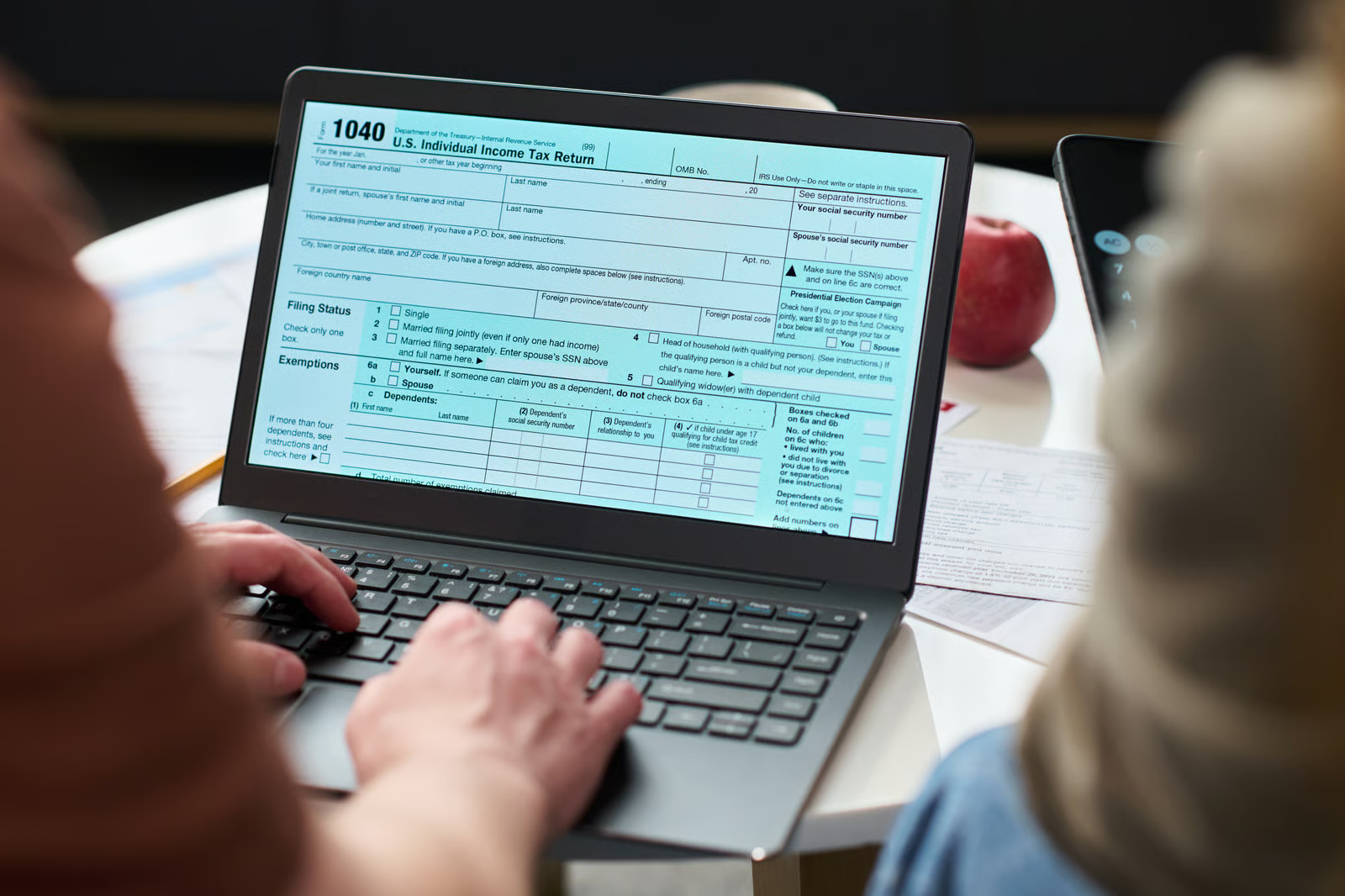
Filing taxes can be stressful. But, tax filing software for accountants is a solution to make filing easier and more convenient than ever before.

In case you’re filing taxes for the first time, or if you’re concerned about upgrading from traditional filing methods, then this blog is for you!

Let’s discover how leveraging tax software is beneficial for you and your tax situation, by going over some of its benefits in more depth.

The Advantages of Using a Tax Filing Software

1: Helps Keep Track of Everything

The days of hunting through actual paper files are over once you use tax software. You can simply locate everything you need in one location with the basic features of almost all tax software: digital file storage, automatic record categorization, and file search capabilities. Lost papers, misplaced documents, and other issues associated with physical storage will no longer be a problem for you.

In addition, tax software will automatically store your files in a repository that you can access at any time, saving you hours of tedious paperwork.

2: It is Easy To Use

Whatever the level of your tax-related experience or if this is your first time filing, tax software offers a simple, step-by-step approach that most people can easily follow.

Before assisting you in filling the appropriate forms and determining which tax credits and deductions you might be eligible for, tax software will ask you questions about your specific situation and your tax status.

3: Provides Security

While it’s safe to have physical documents on hand, digitizing them with tax software is equally safe. Tax filing software companies ensure to protect your data since they are aware that you are disclosing confidential information online, such as your source of income.

You may be confident that any information you transfer to and from the website, including account and income details, is encrypted and kept secret from third parties if your tax software is cloud-based.

4: Makes Tax-Filing Error-Free

Errors can happen while carrying out calculations manually, such as when filing taxes. On the contrary, tax software is unaffected by this issue. The majority of software will walk you through filing your taxes step-by-step; all you have to do is follow the directions, and the software will handle the calculations.

Tax software is designed to precisely complete very specific tasks. Thus, use the best GST filing software in India to ensure that every line of your tax return is accurate—rather than having to review it twice or thrice.

5: Offers Convenience

The easiest way to file taxes is now with tax software. You can access tax software from any location since it is accessible online. Additionally, it can help you save time by organizing all of the tax documents and information in one handy place.

6: Saves You Time and Money

Tax filing software automates taxation procedures that are otherwise time consuming for businesses and accountants. Intuitive interfaces deliver speedy registration and automatic calculations, thus reducing error-prone paperwork. Increasing productivity helps the professionals in their tasks of strategic finance planning, that will ultimately, save time and money.

7: Helps With Record-Keeping

You can never be too organized when it comes to filing your taxes, and tax software is an excellent option for keeping all of your documents and tax information in one place from year to year.

The majority of online applications will save the data and forms from previous years so you can compare them to the current forms and avoid having to enter all the information again. And you know exactly where to look if, at any point during the year, you need to access your documents and previous tax returns.

8: Receive Your Refunds Faster

Using tax software allows you to complete the process entirely online. Eliminate the hassle of manual tax preparation. Your tax software can process your paperwork and send your refund more quickly since it digitally files your tax return for you. Choose to have your return deposited directly into your bank account for optimal outcomes.

9: Receive Expert Assistance

Your tax software provider can provide you with support and assistance if you come across any issues, have questions, or simply want to make sure you’re doing things correctly.

10: Environmentally Friendly

You will use less paper, ink, pens, pencils, and other office materials if you file your taxes online. This reduces your own carbon footprint and benefits the environment.

Wrapping It Up

In 2024, if you’re still paying your taxes manually, you should switch to digital. Filing taxes with tax software is simpler, safer, quicker, less expensive, and more direct.

Top Advantages Of Accounting Software For Startups

The complexity of your accounting records increases as your business grows. Spreadsheets make handling business finances complex, time-consuming, and error-prone. A scalable accounting solution is required as part of expanding businesses. Business owners need to consider alternatives to spreadsheet accounting to adjust to complex financial data. Online accounting software India is the solution for this.

Several features in accounting software might help you run your business more efficiently. Accounting software is an essential tool for managing the financial data of your company, from simple billing and invoicing to tax computation and project management. Insightful financial reports, bank account reconciliation, and client management are additional benefits that aid in the smooth and persisting growth of your company.

10 Advantages of Accounting Software for Your Business

1: Cost Savings

The goal of an accounting software is to automate all of the administrative processes involved in basic computations for a one-time investment. This accounting software controls your revenue structure and does away with the need for financial management or any other payment gateway issues in order to handle the cost component. The expenses associated with manual accounting work also reduce with accounting software.

2: Security

Accounting software protects data and verifies users through encryption and additional security measures. This is particularly significant for cloud-based software, since vital information is stored on a remote server and is safeguarded in the event of a fire, other calamity, or misplaced mobile device. Also, startups can get the same degree of protection as larger businesses.

3: Tax Compliance

These days, taxation is an essential component of accounting solutions. Dedicated report downloading services are provided to users by some of the best accounting software in India as part of their consideration of financial reports. You can obtain all the data on audit trails, taxes, and other pertinent information to assist in running an open and effective workflow if you enable these capabilities.

4: Automation

By sending invoice and payment reminders together with links to the relevant online payment options, a competent accounting software can automate the invoicing process. Additionally, automation can assist with accounts payable by automating bank transfers and direct deposits; tax payments by transferring data into commonly used tax forms and filing them electronically with the Income Tax Department.

5: Inventory Management

Maintaining enough stock and offering top customer service are dependent on effective inventory management. Tracking items, accounting, recording item information, and producing reports are all part of it. Accounting software makes Stock Keeping Unit (SKU) codes, product photos, package creation, and tracking the movement of things by serial or batch number, etc easier. To prevent running out of stock, you can track supply, establish reorder levels, and receive automated emails for your products.

6: Invoice Generation

You can easily create invoices with the options that accounting software offers. For customers that place repeat orders, you can set up recurring profiles and plan the automatic invoice generation each time an order is placed.

Additionally, you can set up automatic reminders for payments with accounting software. You can keep track of all your outstanding invoices, remind clients to make their payments on time, and avoid inadvertently losing money using an accounting software.

7: Finance Monitoring and Statements

An organization needs to be aware of these three key financial statements: the balance sheet, the profit and loss statement, and the cash flow statement.

Reports that are integrated into accounting software analyze cash flow and assist companies in managing it. To assist you in understanding the important financial components of your company, forming inferences, and making sensible choices to move your enterprise in the right path, you can create reports with profit and loss statements and balance sheets.

An accounting system automatically gathers data on other crucial areas of your organization, such as sales, purchases, taxes, inventories, and projects, in addition to the three crucial financial statements.

8: Reduces Errors

Accounting software is a great asset to a startup since it helps with quick and accurate accounting task execution. It basically provides the ability to easily record transactions, create and manage invoices, and track the expenses. Manual accounting can lead to human errors, but the automatic calculations eliminate the possibility of such mistakes, thus creating accurate financial records.

9: Detailed Reports

As a business owner, you must regularly assess the progress of your company and make the best choices to maintain the stability of the company. You can review growth patterns and comprehend the financial trends of your company with the help of accounting reports. Spreadsheet-based report generation, however, is quite time-consuming since each report requires you to manually enter formulas and combine data. You can save the efforts by adopting accounting software to generate reports automatically.

10: Easy Collaboration

One unspoken advantage of accounting software is that it enables the central organization of financial data for businesses. This eliminates the need to switch between tabs and scan receipts for tax filings or other inventory tracking. This greatly streamlines the work of your accountant for multiple users. Your accountant will have free access to many accounting software tools. It also reduces the time it would take to gather the data and documents your accountant needs.

Conclusion

All businesses, regardless of size, seek to boost productivity, reduce expenses, and streamline challenging activities. Accounting software assists with all of those objectives and more. It can automate accounting tasks, ranging from the most simple to the most complex, and eliminate redundant and time-consuming human processes.

Additionally, real-time data access from anywhere, at any time, and on any device is another feature of cloud-based accounting software that can help employees and business managers make the informed decisions they need, when they need to.

E-Invoicing Under GST: Registration Process & Benefits

The term “e-invoicing” as used in the GST law refers to electronic invoicing. Similar to how an e-way bill is used by a business that is GST registered for transporting products from one location to another. Likewise, for business-to-business (B2B) transactions, some notified GST-registered businesses are required to produce an electronic invoice.

What is E-Invoicing Under GST?

The process of electronically verifying and authenticating B2B invoices and other crucial documents with the assistance of GSTN for usage on the GST portal is known as electronic invoicing, or e-invoicing. A system of electronic invoicing encompassing all kinds of businesses had been set into place at the 35th Council of GST.

Every invoice created via the Invoice Registration Portal (IRP) and controlled by the GST Network (GSTN) is assigned an identifying number under this electronic invoicing system.

All of the invoice data is instantly transferred from this site to the GST or e-way bill portals. This removes the need for human data entry when the invoice is generated through.

Who Should Generate E-Invoices and What are its Applicability?

All companies with a turnover of more than Rs. 5 crore are required by the new GST e-invoicing rules to generate an electronic invoice. Prior to this latest modification, this threshold was Rs. 10 crore.

There have occasionally been significant modifications to the threshold since the e-invoicing system was implemented. The table that follows details India’s trajectory towards e-invoicing adoption.


Phase

Applicable Turnover ( In crores)

Applicable Date
 
I 500 01.10.2020
II 100 01.01.2021
III 50 01.04.2021
IV 20 01.04.2022
V 10 01.10.2022
VI 5 01.08.2023

How to Register for an E-Invoicing System?

If you are a taxpayer who is registered for GST and has a valid GSTIN number, registering on the e-invoicing site is a fairly easy process.

You can access the e-invoicing site with the same login credentials if you have registered your firm on the e-way bill (EWB) portal.

You can register directly with the e-invoicing system if you haven’t already done so through the EWB portal. Both a mobile number and a GSTIN must be registered on the GST portal by the taxpayer.

1. Visit the Invoice Registration Portal (IRP).

2. Click on the “Registration” option.

3. Fill out the E-invoice Registration form.

4. Enter your business GSTIN and Captcha.

5. Click “Go” to proceed.
6. Verify the details displayed.

7. Request to Send OTP for verification.

8. Enter the OTP received on your registered mobile number.

9. After verification, create a username and password.

10. Re-enter your login credentials and click “Save” to confirm.

11. Access the e-invoicing system using your new login credentials.

Benefits of E-Invoicing for Businesses

Businesses adopting the e-invoice system started by GSTN will profit from the following:

  • In order to minimize mismatch errors, e-Invoice resolves and plugs a significant gap in data reconciliation under GST.
  •  E-invoicing GST software can create an electronic invoice (e-invoice), which promotes compatibility and lowers data entry errors.
  • E-invoices allow for the real-time tracking of supplier-prepared invoices.
  • Automation and backward integration of the GST return filing process: any required invoice data will automatically appear in the various returns, particularly when part-A of the e-way bill is generated.
  • Easier access to legitimate input tax credits.
  • Reduced likelihood of tax authorities conducting audits or surveys since the data they need is accessible at the transaction level.
  • Quicker and simpler access, particularly for small businesses, to formal credit routes like financing or invoice discounting.
  • Better client interactions and an increase in the probability that small firms will conduct business with large companies.

How Will E-Invoicing Curb Tax Frauds?

Since
e-invoicing solutions require taxpayers to upload their invoices to the GST site, tax authorities will now have access to a complete record of their B2B bills. Chances for changing invoices are reduced since they are generated prior to any transaction actually occurring. By comparing the output tax on the GSTN portal with the input tax credit, the system can detect fake invoices and stop tax-related offenses.

Frequently Asked Questions

1. Who is eligible for the GST E-Invoice?

GST registered individuals whose total revenue in any of the preceding fiscal years (2017–18 to 2021-22) exceeds Rs. 20 crore are eligible to use e-invoicing. It will be applicable to individuals having a turnover of more than Rs. 5 crore and up to Rs. 10 crore as of August 1, 2023. As mentioned in the section above, there are certain exceptions.

2. If an e-invoice is sent, is a physical GST invoice required then?

According to the Central Board of Indirect Taxes (CBIC), if an e-invoice is submitted, a physical invoice does not need to be presented.

3. Who is exempted from e-invoicing?

Businesses with an annual turnover below the prescribed limit set by the government (Rs. 5 CR) are exempted from e-invoicing. This means that if a business’s turnover falls below the specified amount, they do not need to comply with e-invoicing regulations.

4. What types of documentation need to be submitted to the IRP?

The supplier’s invoices, credit notes, debit notes, and any other documents specified by the GST law must all be reported as electronic invoices.

Step-By-Step Guide To Online GST Registration Process

GST (Goods and Service Tax) is known to be a unified system which has been introduced in the country for replacing the various multiple taxes. GST has aimed to simplify the entire indirect taxation process by merging multiple taxes such as sales tax, service tax etc. GST is known to have different rates for various goods and services movement in the country into 4 main slabs which are – 5%, 10%, 18% and 28%.

A trader is required to register for GST if their annual turnover is above Rs. 20 lakh (or Rs. 40 lakh or Rs. 10 lakh, contingent upon the state and type of commodity). Hence, with the help of the best GST accounting software, traders can file GST in a seamless manner.

Diverse Forms Of GST Registration:

Here are the different GST registration forms which are crucial to be understood by anyone who is required to file GST:

Individual Subject to Casual Taxation:

A GST registration falls under this category, and it can be renewed or extended after its initial three-month period.

Taxpayer’s composition:

You have to apply for the GST Composition Scheme in order to obtain it. You will be required to deposit an apartment under this category. Input tax credit receipts are prohibited by this category.

Taxable Non-Resident Individual:

If you offer goods to residents of India but are based outside of the country, this type of GST registration is the superior option. Similar to the category of Casual Taxable Person, you are required to deposit during the GST registration period the amount of your estimated GST due.

How To Register Online For GST

The comprehensive GST registration process that individuals must undertake in order to complete their GST registration is as follows:

Step 1:

Select the ‘Register Now’ link from the ‘Services’ tab of the GST portal at https://www.gst.gov.in.

Step 2:

Select ‘New Registration’ and then one needs to complete the form.

Part A:

  • – Choose the option of tax payer.
  • – On the next screen, fill in the email address and mobile number slots with the OTP that was sent to them, then click “Proceed.”
  • – You will see the Temporary Reference Number (TRN). Note the TRN (which is useful for further steps).

Part B:

  • – After accessing the GST portal, select “Temporary Reference Number (TRN)” in the second step. Now enter the captcha data and the TRN number. Click “Proceed” to continue.

Step 3:

The registered mobile number and email address you gave will receive an OTP. Click “Proceed” after entering the OTP.

Step 4:

Requirements must be met in order to go to the next level, and the required documentation must be filed.

The Mentioned Files Must Be Uploaded:

  • – Passport size picture.
  • – Verification of the business address.
  • – Examples of bank details include account numbers, bank names, bank branches, and IFSC codes.
  • – Send the necessary documentation to move on to the next phase.

Documentation Required For The Applicant’s PAN And GST Registration

  • – Adhaar card.
  • – Evidence of an incorporation certificate or business registration.
  • – Promoters’ and directors’ confirmation of identity and address with photos.
  • – Address verification for the business location; bank account statement; canceled check.
  • – Board Resolution for Authorized Signatory and Authorization Letter with Digital Signature.

Penalties For Not Completing The GST Registration:

If an offender does not pay taxes or pays them in full, they will be penalized 10% of the taxes due, with a minimum penalty of Rs. 10,000 (sincere mistakes). Traders can look for the right software for GST filing and file GST timely to avoid any penalties

Conclusion:

Benefits of a regular registered business include the ability to conduct interstate commerce without limitations and the ability to claim input tax credits. Businesses that voluntarily register for GST benefit from a number of advantages, including a competitive edge over rival companies, the ability for taxpayers to claim input tax credits, simple online registration for e-commerce websites, and unrestricted interstate business.

Two-factor authentication (2FA) under GST

Currently, two-factor authentication i.e. 2FA is creating a lot of buzz among taxpayers under the Goods and Services Tax (GST). Two-factor authentication is nothing but a two-step verification process. Basically, it is an additional security measure which added to strengthen the login security.

Undoubtedly, two-factor authentication aims to improve the security measures under GST. But, the same puts up an additional burden on the user.

Vide the present article, let us understand the different implementation stages and process of two-factor authentication under GST.

Different implementation stages of two-factor authentication under GST –

With a view to streamline the implementation process and also to enable sufficient time to the taxpayer to adopt additional security features, the government has introduced two-factor authentication in different stages.

Notably, two-factor authentication was first introduced for e-invoice/ e-way bills. Thereafter, it is rolled out even for the GST portal.

Two-factor authentication in case of e-invoice/ e-way bill is implemented based on the Aggregate Annual Turnover of the taxpayer. Whereas, there will be the state-wise implementation of two-factor authentication in the case of GST portal.

Let us learn more about different stages of implementation under both e-invoice/
e-way bill and GST portal –

Two-factor authentication for e-invoice and e-way bill

  • • The facility was enabled with effect from 12th April 2022, however, it was not mandatory;
  • • Two-factor authentication for the taxpayers with Aggregate Annual Turnover (i.e. AATO) above INR 100 Crores is made mandatory only with effect from 20th August 2023, and
  • • Whereas, two-factor authentication for the taxpayers with AATO above INR 20 Crores is made mandatory with effect from 20th November 2023.

Two-factor authentication for GST portal –

  • • The facility was enabled with effect from 1st December 2023
  • • The pilot launch of two-factor authentication for the GST portal has already been rolled out for the state of Haryana
  • • In the 1st phase, two-factor authentication for the GST portal will be rolled out for the following states –
      • o. Punjab


      • o. Chandigarh


      • o. Uttarakhand


      • o. Rajasthan; and


    • o. Delhi
  • • Post successful implementation of 1st phase, it will be rolled out for all the states across India.

Two-factor authentication and process thereof –

In nut-shell, post implementation of two-factor authentication, the taxpayer will have to enter a One-time password (OTP). Relevant steps where one-time password is to be entered and modes of receiving the said one-time password is explained hereunder –

Two-factor authentication for e-invoice and e-way bill –

  • • Visit the e-invoice/ e-way bill portal;
  • • Enter appropriate login credentials i.e. username and password;
  • • Enter One-time password (OTP) [Here, two-factor authentication comes into play and this is the additional authentication step added].

OTP to be entered in the above step can be generated via any of the following modes –

  • o.  SMS –
    Here, OTP will be sent to the registered mobile number via SMS;
  • o.  Sandes’ app –
    ‘Sandes’ is a messaging app. It is provided by the Government. Taxpayers can send and receive messages through this app.
    In order to receive OTP, the taxpayer needs to download the ‘Sandes’ app on the registered mobile number and receive OTP in it;
  • o.  NIC-GST-Shield app –
    ‘NIC-GST-Shield’ is a mobile app. The app is provided by an e-invoice/ e-way bill system.

    To receive OTP, the taxpayer needs to download the ‘NIC-GST-Shield’ app from the e-invoice or e-way bill portal. Importantly, an internet connection is not required for generating OTP on this app.

Two-factor authentication for GST portal –

  • • Visit the GST portal i.e. www.gst.gov.in;
  • • Enter appropriate login credentials i.e. username and password;
  • • Enter One-time password (OTP) [Here, two-factor authentication comes into play and this is the additional authentication step added].

Notably, OTP to be entered in the above step will be provided/ sent to the Mobile Number and e-mail ID of the primary authorized signatory. Importantly, OTP will be asked only in the following circumstances –

  • • In case the taxpayer changes the system i.e. browser or desktop or laptop; and
  • • In case the taxpayer changes the location.

Synopsis of two-factor authentication –

Two-factor authentication system under GST is simplified via the following table –


Company

Contact
Implemented for Stage of implementation Two-factor authentication is implemented for –

  • o.  E-invoice / e-way bill; and
  • o.  GST portal.

E-invoice/ e-way bill –

  • o.  Two-factor authentication is mandatory from 21st August 2023 for taxpayers having AATO above INR 100 crore and from 20th November 2023 for taxpayers having AATO above INR 20 crore;
  • o.  Two-factor authentication is optional for the rest of the taxpayers.

GST portal –

  • o.  Pilot launched in the State of Haryana;
  • o.  1st phase will be rolled out for the States of Punjab; Chandigarh; Uttarakhand; Rajasthan and Delhi; and
  • o.  2nd phase will be rolled out for all the states across India.
  • o.  Importantly, two-factor authentication is yet not mandatory for the GST portal.
Modes for two-factor authentication OTP under e-invoice/ e-way bill can be received via –

  • o.  SMS;
  • o.  Sandes app;
  • o.  NIC-GST-Shield app.

OTP under the GST portal will be delivered to the mobile number and e-mail ID of the primary authorized signatory.

Common Mistakes To Avoid While Filing GST Returns

The foundation of India’s tax system is the Goods and Services Tax (GST), which streamlines the tax payment process for businesses. Nevertheless, it can be difficult to navigate the GST landscape, and even seasoned professionals can make blunders while filling.

A number of beneficial regulations and reliefs, like the composition scheme for small businesses, have also been introduced by the GST System. The taxpayer will not be able to amend their GST returns until the subsequent filing of a particular GST return is filed incorrectly. The taxpayer will get a notification and possibly even penalties in the interim.

Therefore, it becomes essential for businesses to file appropriate taxes and comply with the GST System with the assistance of the best GST filing software, not just for compliance’s sake but also for the businesses.

Typical Errors To Avoid In GST Return Filing

1. Errors in Manual Data Entry:

One of the most frequent GST filing faults and the one that should basically be avoided are manual data entry errors. The taxpayer is responsible for making sure all information is submitted accurately and in the appropriate format, including supply address, counterparty GSTINs, invoice values and format, non-repetition of invoice numbers, and date format. The taxpayer must utilize the special characters carefully and only when necessary.

2. Falsely Requesting an Input Tax Credit

In the auto-created GSTR-2A return, the supplier reports the registered purchases and related input tax credits made by the taxpayer. On the other hand, each taxpayer’s input tax credit must be disclosed separately when filing forms. They should also ensure that the appropriate amount of input tax credit is submitted and guaranteed. In the unlikely event that a higher value is declared, there is a chance to change the return; the difference, plus interest, should be paid in the next month’s return.

3. Non-filing of the NIL Returns:

Taxpayers typically believe they are exempt from filing their GST Returns if they have no transactions during the applicable tax period. It’s incorrect to say that companies don’t need to file a nil return if there are no transactions. To avoid these typical GST errors, pay closer attention.

4. Not paying for the Reverse Charge Mechanism (RCM) & Under the Incorrect GST Head:

For goods and services that recipients must pay RCM, the government has outlined them. Should the reverse charge tax remain unpaid. If the input tax credit is lost and there are further interest payments, there are several GST heads, including IGST, CGST, and SGST. The taxpayer may run into conflict of the law if they pay taxes under the incorrect GST Head. Only the CGST head may be used to pay the CGST.

5. ITC Reversal & Credit Blockage:

In accordance with the numerous ITC law revisions, the ITC will be reversed in the following circumstances: ITC on items used for personal use, lost or damaged goods, failure to pay the supplier within 180 days, capital goods supplied, & samples, etc. Furthermore, the Credit cannot be used for a few certain things. When submitting GST and claiming ITC, taxpayers must be aware of the ITC laws to prevent errors.

6. Ignoring the GSTR 3B and GSTR 1 Reconciliation

If a person who is registered with the GSTR doesn’t consistently match his GSTR 3B and GSTR 1 returns, he is making serious mistakes. Everyone should confirm that their GSTR 3B and GSTR 1 reports match regularly before filing GST returns. For example, if someone declares transactions totaling Rs. 2 crore in their GST return for the entire month of May 2020 and transactions totaling Rs. 2.50 crore in their GSTR 1 for the same month, they may face unnecessary prosecution from the GST office.

Conclusion:

It is recommended that taxpayers take their time, file proper GST returns, monitor their business’s progress precisely, and adhere to the GST system in order to avoid notices, scrutiny, late fees, fines, and penalties.

Using APIs and billing system integrations with software solution providers like Ankpal, proper GSTR filings may be completed. If an enrolled person files a GST return incorrectly, they may be subject to a significant penalty and interest. Due to the current GST system, GST taxpayers are no longer able to edit their returns and avoid making mistakes when filling them out. Hence, getting hands on the best GST return filing software can be a total game changer in the filing returns process.

Cost-Benefit Analysis of Cloud-Accounting Software for Startups

The recent years have seen substantial growth in the accounting sector, with cloud-based accounting software playing a key part in this rise. The accounting software market is expected to increase at a compound annual growth rate of 7.3 percent from 2020 to 2026, from a predicted $12.01 billion in 2019 to $19.59 billion by 2026, according to Statista. The need for accounting software will only grow as more companies turn to cloud-based solutions.

cloud-based accounting software is a viable choice for startups and small enterprises since it has lower development costs and fewer operating expenses than traditional software. A cloud computing solution’s implementation has multiple benefits. Read the blog to make the right decision about the deployment of cloud accounting software for your startup.

What is Cloud Accounting Software?

Cloud-based accounting software enables users to access their financial data securely from any device, anytime. It offers the convenience of accessing documents while traveling. Files are safely stored online, eliminating risks of hardware damage or theft. Collaboration is simplified through easy data sharing among users. Cloud accounting reduces the need for manual spreadsheet work, enabling users to stay in sync on finances effortlessly. The software ensures seamless access and data security, making it an ideal choice for modern-day financial management needs.

The Valuable Benefits of Cloud Accounting

Offers Cost-Effectiveness

Saving costs is one of the most obvious advantages of cloud accounting. It helps you avoid investing in costly hardware or hiring specialized staff to manage it. The pay-as-you-go options offered by most firms let you adjust your expenses to suit your business’s requirements. This is especially helpful for businesses with limited funding.

Helps Automate Processes

Multiple tasks can be automated with cloud computing software. Reminders can be made using the built-in alerts found in most solutions, and outstanding invoices will immediately trigger an automatic notification to clients. You can create invoices in minutes with the help of modern invoicing tools like recurring billing and saved card information.

Easy Expense Tracking

Depending on the size of the company, accountants must keep track of all expenses, from the smallest to the largest. Cloud-based accounting software can instantly produce digital receipts and link bank transactions with spending.

Smooth Collaboration

Collaborating with your accountant is made simpler with a cloud-based accounting software. The cloud facilitates the generation of reports that you may be required to provide to your accountant. To provide your accountant with access to the data at any moment, you can also grant them access to the software.

Improve Your Accounting’s Accuracy

Since all the necessary financial information is entered in one location, cloud-based accounting systems have reduced chances of accounting errors. You can always get an accurate report by regularly recording your income and expenses via organized transactions. To obtain an accurate report, all you have to do is make sure your income and expenses are entered on a regular basis.

Compliance and Security

Cloud services include security measures and meet legal requirements, ensuring your data is safe. They use multiple layers of encryption, secure access controls, and regular security checks to protect sensitive information. Moreover, they regularly update their security to address emerging threats. Some services even provide compliance certifications, further assuring you of the careful and trustworthy handling of your data.

Why is Cloud-Accounting Cost-Effective for Startups?

Cloud accounting is cost-effective for startups since it removes the need to buy hardware and software upfront, saving money instantly. There are no ongoing expenses for operations, maintenance, or upgrades, and you don’t need IT staff for setup and upkeep. Plus, cloud services often come with added cybersecurity and data recovery features outlined in a service level agreement (SLA), providing extra value for your investment. This means startups can allocate funds to other crucial areas of their business, making cloud accounting a smart financial choice.

The Bottom Line

Software is a strategic ally that can help your company achieve its goals; it is more than just a tool. Any type of small business or startup can find the best cloud-accounting software in India that works for them. Besides simply automating different processes and systems, cloud computing can significantly reduce your overall operating costs and increase productivity across all departments for your company.

Streamlining the Tax Process with Cloud Accounting Software

The advantages of cloud accounting software in India are too great to be ignored especially for mid-sized and large businesses’ tax departments.

Businesses can streamline their tax filing process by leveraging cloud-based tax software. It helps businesses meet the objectives of accounting, like monitoring revenues and expenses, and preparing accurate and up-to- date reports. We can improve tax compliance and filing by using this interface.

What is Cloud-Based Tax Software?

Cloud-based tax software is a tool that helps you manage tax-related data from various places. It allows you to easily download documents, such as bank statements, into the software for comparison with your financial records. Unlike traditional software, the cloud tax software is stored on remote servers that make it accessible from any part of the world as long as you are connected to the internet. You can use it through an app or web browser, without installing it on multiple computers. This way, your employees can input data and check accounts in real-time using the same software version. It always simplifies tax management, bringing in flexibility and convenience to businesses of all sizes.

The Advantages of Cloud-Based Tax Software

The ease of use that cloud-based tax software offers to both tax professionals and accountants is one of its biggest benefits. Tax professionals no longer need to download and install software on their computers owing to the development of cloud computing. Rather, individuals can use the internet to access their tax software and data at any time and from any location. Tax professionals and taxpayers can collaborate in real-time on the same data using cloud-based tax software, which eliminates the need for back-and-forth discussion. Cloud-based tax software also has a number of advantages such as:

Accessibility

Authorized users of cloud-based tax software can access it via a web browser from any location, around-the-clock, so they are not limited by the confines of the office. This implies that you won’t have to wait until after the weekend or until you return to the office in the morning to prepare and file your taxes. The accounting team always has access to the most recent financial data and real-time analytics.

Scalability

A key benefit of cloud-based tax software for accountants lies in its scalability. It allows unlimited user additions, irrespective of their location. As your client’s account expands, you can seamlessly augment the team working on their file without the requirement for extra servers. Additionally, granting clients real-time access to their information is straightforward, fostering transparency and accessibility for all parties involved, regardless of the client’s size.

Security and Access Control

Every company needs security, but accounting firms and other companies that handle sensitive data specifically need to pay careful attention to it.

Cloud-based software makes it possible to store data remotely and lowers the possibility of sensitive data being lost or stolen. Additionally, there are ways to limit the amount of access that each user has to a client’s file, which will help to safeguard your clients’ most sensitive files and keep their information safe.

The extra peace of mind that comes with using cloud-based software is the regular and automatic backup of data, which is one of the security features that makes the transition worthwhile.

Cost-Effectiveness

By adopting a cloud-based tax software, not only do you save time since there is no need for an extensive installation and setup procedure, you save money as well. While using traditional software on computers, accountants have to pay for both the initial software and any necessary maintenance and upgrades. With cloud-based software, the provider bears the costs because all software development is done internally. The only thing you have to pay for is software access.

How Does Cloud Accounting Software Streamline The Tax Process?

Cloud accounting software simplifies the tax process by centralizing financial data storage in a secure online platform. Automated features streamline tasks like data entry, categorization, and reconciliation, reducing errors and saving time. Additionally, real-time collaboration enables seamless communication between accountants and clients, facilitating efficient tax preparation and filing.

With cloud-based software, updates and upgrades are automatic, ensuring compliance with changing tax regulations. The cloud-based tax software offers convenience, accuracy, and efficiency, transforming the tax process into a smooth and streamlined experience for businesses of all sizes.

Conclusion

Cloud technology has reached a turning point. Businesses of all sizes can and should adopt the cloud technology to streamline operations and reduce expenses while maintaining a great customer experience for their customers.

The field of compliance and taxation has seen a revolution with the rise of cloud accounting. It is a valuable resource for companies looking to maximize financial operations while maintaining regulatory compliance given its capacity to automate compliance checks, simplify tax procedures, and offer real-time access to financial data.

The Evolution of E-Invoicing: A Comprehensive Overview

The days of paper invoices being approved by VAT legislation as the best kind of invoice for tax reasons are long gone. The qualifications have changed as of late. At first, PDF invoices were thought to be the better alternative for invoicing; however, this has also altered. E-invoices have totally superseded these outdated ways of issuing invoices. To find out more about e-invoices, their uses, and their development, continue reading.

Importance of e-invoicing in Modern Business

An electronic invoice is one that is sent electronically between a buyer and a seller over a secure network. These invoices include encrypted, machine-readable data. Because it provides benefits including automated processing, safe transmission, and quicker payment processing, e-invoicing is regarded as an effective invoicing method. The whole process of creating and sending invoices has been simplified by the e-invoice production software.

How E-Invoicing Has Evolved

1. The Birth of E-Invoicing

E-invoices, also known as digital invoices, were first introduced as a substitute for manual invoices, which were laborious and time-consuming. Making invoices would often take hours and resulted in many human mistakes. It was a really ineffective procedure. Invoicing by hand also needed manpower, which increased the company’s operating costs. E-invoicing made these difficulties easier to handle. Users may create automatic invoices and send them electronically to their clients with the aid of e-invoice invoicing software.

2. Digital Transformation

E-invoicing became a part of digital transformation strategies as more and more firms embraced the shift to digital platforms. It made their operations simpler and assisted them in integrating the e invoice billing software with their current ERP systems, which allowed data to flow between apps seamlessly.

3. The Role of Compliance

It may be difficult for companies and accountants to stay on top of these requirements since new regulations and changes to tax laws occur often. Making invoices by hand felt laborious since it was difficult to make sure that everything complied with tax and accounting regulations. Your invoices may be automatically cross-checked with the most recent regulatory standards by using e-invoicing software. Additionally, it avoids unique mistakes in manual billing as well as corrupted invoices. The government mandated the use of these computerized invoices in order to guarantee that all companies abide with the tax regulations.

4. Cloud-Based Solutions

The ability to generate, save, and update these invoices on the cloud was the largest advancement in e-invoicing. Teams were able to use any computer device to see, edit, and submit invoices to their intended recipients.

5. ERP System Integration

It is simpler to sync data across different devices when your invoicing software is integrated with your current solutions, such as financial accounting systems or customer relationship management software. You may save time by not having to spend it manually inputting each transaction’s information into the billing software.

6. Usability on Mobile Devices

The latest evolution in the e-invoicing industry is mobile usability. Now, you can access, create, transfer, and send invoices on your smartphone. Any member of your organization who’s authorized to review or edit invoices can use their smartphones to access digital invoices and make changes to them.

Future Trends and Innovations to Expect

In the next years, there will likely be a lot of changes to the quickly changing e-invoicing market. Anticipated features include enhanced security, automation, and seamless integration between the invoicing system and other software programs. For example, smart contracts may assist in automating the processing of invoices. Blockchain integration with electronic invoicing may also encrypt the transactions and provide customers a variety of payment choices.

Conclusion

All of it has to do with how the e-invoicing sector developed. The industry has changed quickly, moving from paper-based bills to PDF files to electronic invoicing.

Simplification of clause (h) to Section 43B of the Income Tax Act

Provisions of section 43B of the Income Tax Act, 1961 deals with a list of expenditures which are allowed as deductions under the head ‘Income from business and profession’ only in the year of actual payment.

Recently, section 43B has been stealing the limelight due to the insertion of new clause (h) vide the Finance Act, 2023. Notably, the new provisions are going to be effective from 1st April 2024.

Undoubtedly, the insertion aims to promote speedy payments to micro and small enterprises which ultimately resolves the working capital scarcity issue in the MSME sector.

Vide the present article, let us understand the basics of clause (h) of Section 43B of the Income Tax Act, along with, the impact of the same with the help of illustrations.

Basics of clause (h) of Section 43B of the Income Tax Act –

Bare reading of clause (h) of section 43B –

‘any sum payable by the assessee to a micro or small enterprise beyond the time limit specified in section 15 of the Micro, Small and Medium Enterprises Development Act, 2006’

Simplification of the above provisions of clause (h) of Section 43B –

  • • Assessee is liable to pay any sum on account of buying goods or procuring any service from an enterprise which is registered under the Micro, Small and Medium Enterprises Development Act, 2006 (hereinafter referred to as MSMED Act, 2006);
  • • The said sum payable is not paid by the assessee within the time limit specified in section 15 of the MSMED Act, 2006;
  • • Such a sum, which is not paid within the time limit, is allowed as a deduction only in the year in which the payment is actually made.

It is vital to note here that only sums payable to micro and small enterprises are covered. Accordingly, clause (h) of section 43B doesn’t deal with the sum payable to medium enterprises.

Provisions of clause (h) of section 43B are even more simplified with the help of following flowchart –

Payment time limit as specified in section 15 of the MSMED Act, 2006 –

As per section 15 of the MSMED Act, 2006, payment is to be made within the following time limits –

Particulars Time limit
In case, there is a written agreement Date as agreed upon (however, the time limit cannot exceed 45 days)
In case, there is no written agreement Within a period of 15 days

Non-applicability of clause (h) of Section 43B of the Income Tax Act –

Provisions of section 43B(h) don’t apply under the following circumstances –

  • • Payments to enterprises not registered under the MSMED Act, 2006;
  • • Payments to enterprises registered as medium enterprises under the MSMED Act, 2006;
  • • Payments for goods purchased from wholesale as well as retail traders, as such traders are eligible only for the Priority Sector Lending benefit;
  • • Payments outstanding as on 31st March 2023.

Evaluating the impact of clause (h) of Section 43B of the Income Tax Act –

The impact of clause (h) of Section 43B is simplified via the following table –

Situations Impact of clause (h) of Section 43B
When the assessee has made payment to a micro/ small enterprise within the time limit specified under the MSMED Act, 2006 • As payment is made within the time limit there will be no effect of clause (h).
• Payment will be allowed as a deduction on an accrual basis.
When the assessee has made payment to a micro/ small enterprise beyond the time limit specified under the MSMED Act, 2006 • As payment is made beyond the time limit provisions of clause (h) gets activated.

• Payment will be allowed as a deduction on a payment basis i.e. deduction will be allowed in the year of making the payment.

Let us go through the following illustrations for a better understanding of the impact of clause (h) of Section 43B of the Income Tax Act, when payment is made beyond the specified time limit –

Illustration Impact of clause (h) of Section 43B
Payment made beyond the time limit specified in MSMED Act, 2006, but, in the same Financial Year – Suppose, expenditure accrued in September 2023 and payment is made in March 2024 • Payment made beyond the time limit activates clause (h);
• However, there will be no impact of clause (h) as payment is made in the same Financial Year in which the expenditure is accrued. Hence, even if the expenditure is allowed on a payment basis the same is allowable in the Financial Year 2023-2024.
Payment made beyond the time limit specified in MSMED Act, 2006, but, in the subsequent Financial Year – Suppose, expenditure accrued in September 2023 and payment is made in April 2024 • Payment made beyond the time limit activates clause (h);
• In this case, expenditure even though accrued in the Financial Year 2023-2024, the same will be allowed as a deduction only in the Financial Year 2024-2025.

This is the situation were clause (h) of Section 43B has its impact.

Synopsis –

  • • Any amount payable to micro or small enterprises towards procurement of goods or services is required to be made within the time limit specified under section 15 of the MSMED Act, 2006;
  • • New clause (h) of section 43B of the Income Tax Act gets activated, as and when such payment is not made within the specified time limit;
  • • Post activation of clause (h), deduction will be available only in the year of actual payment and not in the year of accrual.

About the Author:

Poonam Gandhi is a Chartered Accountant and a Lawyer with extensive expertise in both fields. As a Professional Freelance Content Writer/Editor and Educator, she combines her diverse background to draft compelling and informative content. Poonam specializes in creating content that not only delivers results but also caters to search engine optimization strategies, ensuring maximum visibility and impact.